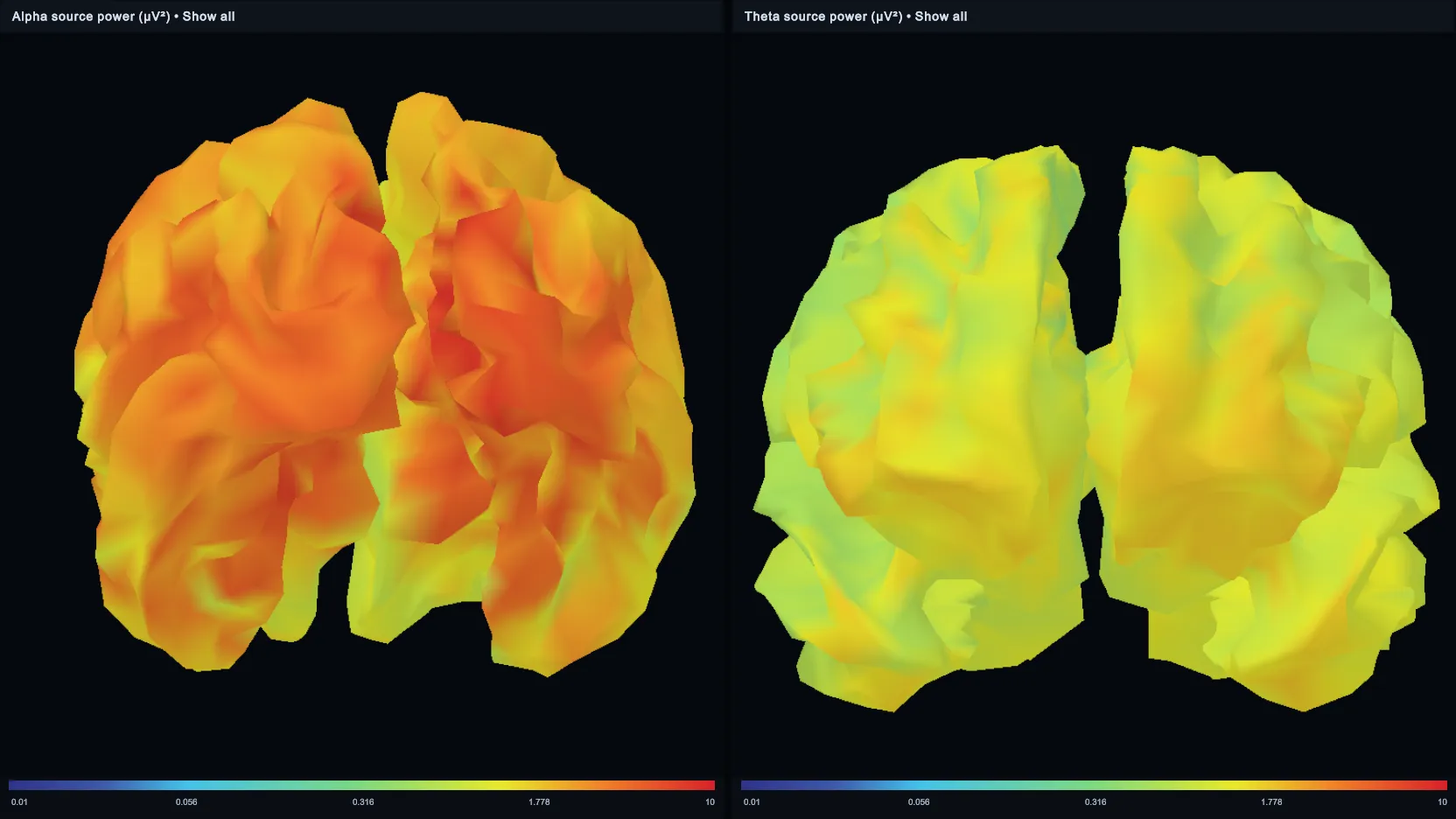
Particle Brain shows live or recorded EEG on one animated 3D brain or a grid of up to nine. Each brain has its own data calculation, particle appearance, camera, EEG positions, connectivity layers, thresholds and display settings.
It runs as an application during a live training session or EEG recording (Applications page) and in the Studio with a recorded session (Particle Brain on the EEG Statistics page). Steps: Particle Brain.
Terms
- Preset: a collection of Particle Brains and the config presets assigned to them. Applying a preset loads the complete arrangement, including its shared threshold behaviour.
- Particle Brain: one visible 3D brain in the arrangement.
- Config preset: a reusable visual configuration of one Particle Brain: layers, formulas, particle behaviour, colours, camera settings and positions.
- Layer: an independent particle system inside a config preset. An EEG position layer shows calculated values at selected EEG positions (separate layers can show, for example, alpha and theta on the same brain); a connectivity layer shows calculated relationships between pairs of EEG positions.
Mouse controls
| Action | Control |
|---|---|
| Select the brain view to control | Move the pointer over the view or click inside it |
| Rotate the selected brain | Hold the left mouse button and move the mouse |
| Stop rotating | Release the left mouse button |
| Zoom in or out | Mouse wheel |
Configuration views
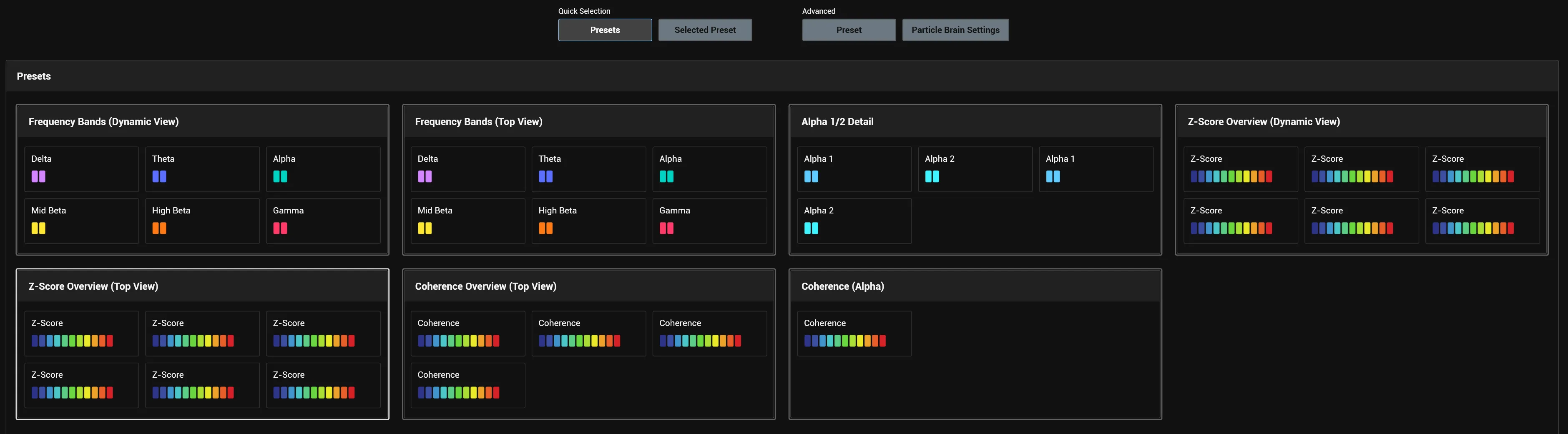
The buttons at the top of the configuration window switch between four views. Selected Preset, Preset and Particle Brain Settings become available once a preset has been applied.
| Area | View | What it does |
|---|---|---|
| Quick Selection | Presets | Applies a complete preset with one click |
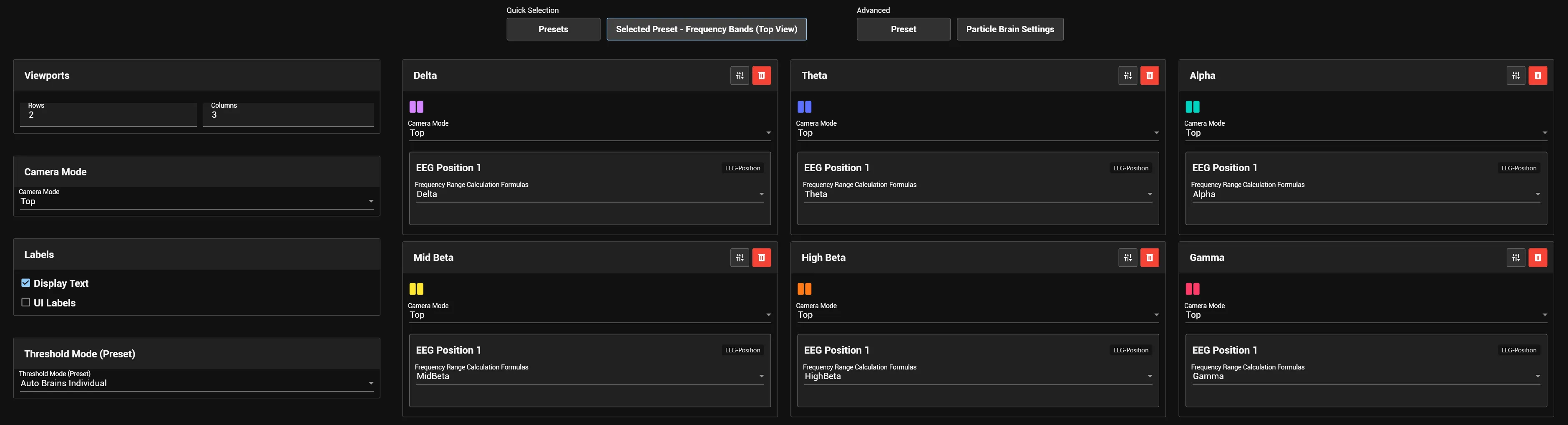
| Quick Selection | Selected Preset - name | Adjusts the active preset, its layout and its Particle Brains |
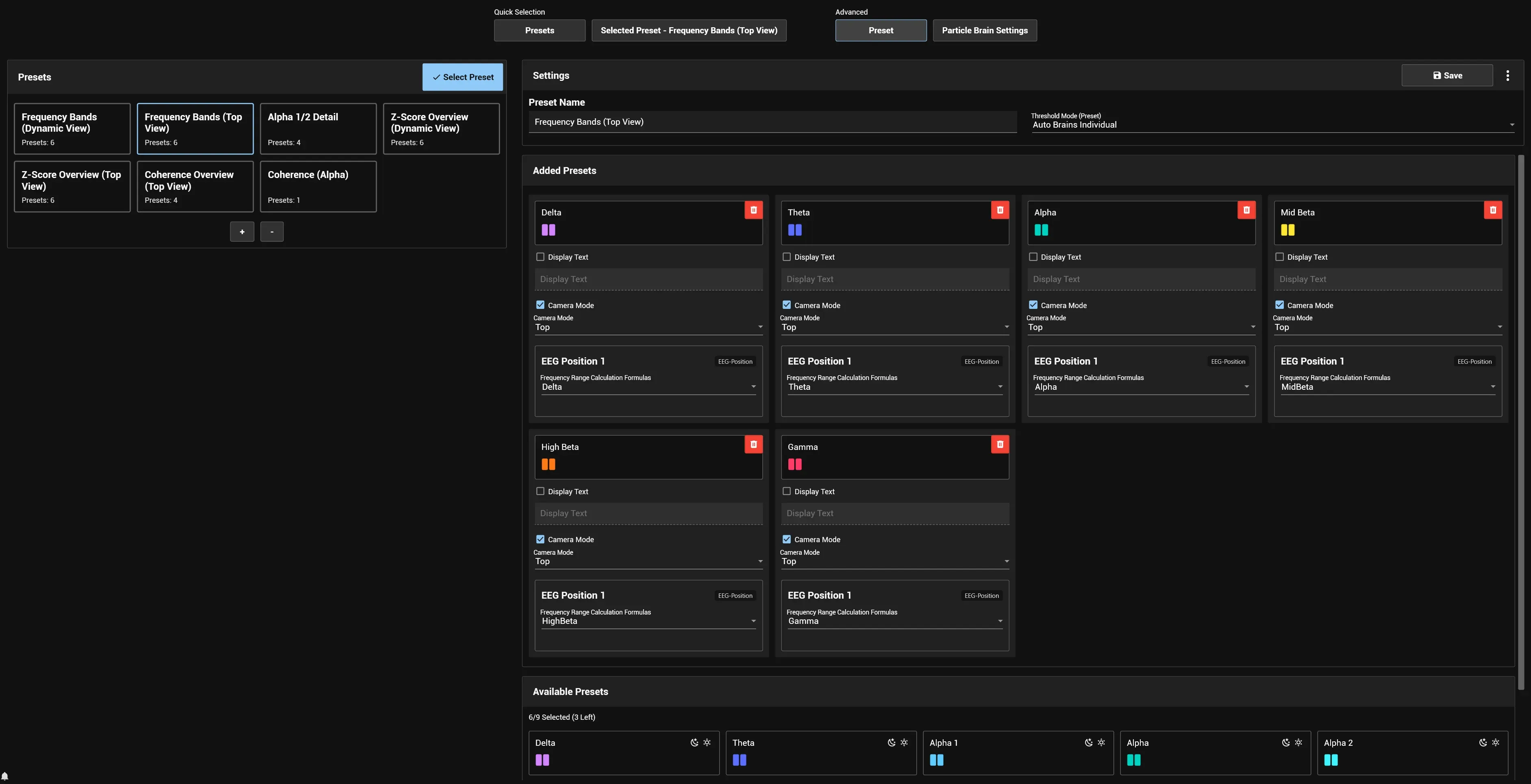
| Advanced | Preset | Creates, assembles, saves, duplicates, exports and deletes presets |
| Advanced | Particle Brain Settings | Edits the Particle Brains of the active preset and their config presets in detail |
Presets
Each card shows the name of a preset and previews the config presets it contains. Clicking a card applies it at once; the preset sets how many Particle Brains are shown, which config preset each one uses, the initial viewport layout and the shared threshold behaviour. The applied preset is highlighted and its name appears on the Selected Preset button.
Selected Preset
Quick settings on the left and one card per active Particle Brain on the right. Changes apply to the running visualisation at once; reusable presets are edited and saved under Advanced → Preset.
- Viewports: the number of Rows and Columns of the grid.
- Resolution Quality: Dynamic adapts the resolution to the screen and the number of visible viewports, High renders every viewport at the screen resolution, Low uses half the Dynamic width and height.
- Camera Mode: one camera direction for all Particle Brains.
- Labels: Display Text shows or hides the title of each brain, UI Labels the EEG position labels.
- Threshold Mode (Preset): how all Particle Brains of the preset share thresholds; with Manual Brains Combined the shared minimum and maximum are set here.
- Particle Brain cards: a colour preview and the layers of the brain. Depending on the layer type a card sets the Camera Mode of that brain, the Frequency Range Calculation Formulas of an EEG position layer, or Connectivity Metric, Frequency Range, Use Z-Score and Network setup of a connectivity layer, and layer thresholds when Threshold Mode (Preset) is Custom. Edit opens the brain in Particle Brain Settings; Deactivate takes it out of the active preset (not offered for the built-in presets).
Advanced: Preset
A preset can hold several config presets; each one becomes a Particle Brain when the preset is applied (a preset with six config presets starts six brains).
- Presets (left): the list of presets. Select Preset applies the selected one, + creates a preset, − deletes the selected editable preset after a confirmation.
- Settings: Preset Name (the name on the preset card), Threshold Mode (Preset), Save for an editable preset and the Actions menu with Duplicate, Export and Delete.
- Added Presets: the config presets of the preset, each with optional overrides of Display Text and Camera Mode, EEG position formulas, connectivity settings and, where the threshold mode requires them, layer threshold modes and manual bounds. Remove takes one out.
- Available Presets: the config presets that can still be added; a click adds one. The counter shows the selected and the remaining slots.
Advanced: Particle Brain Settings
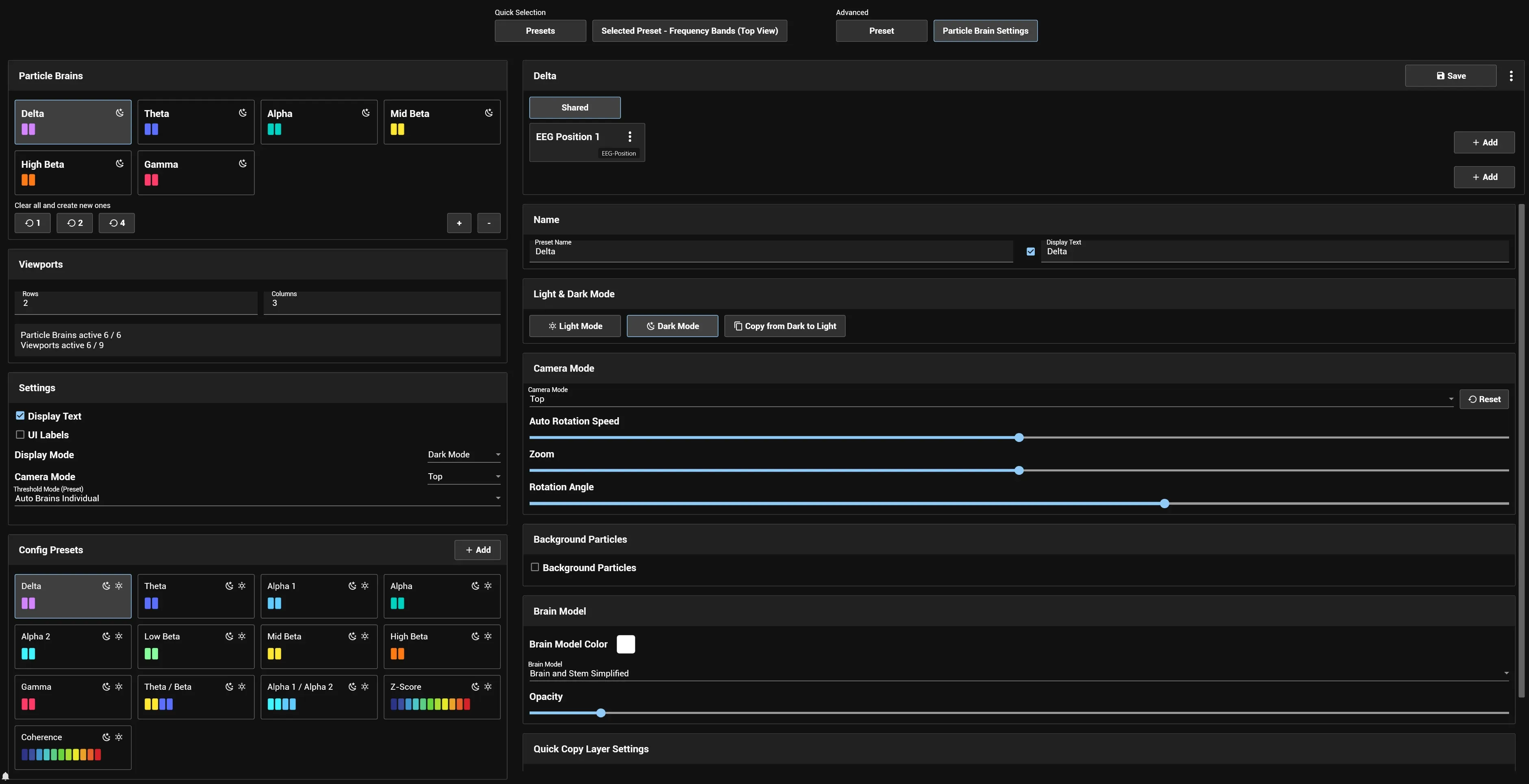
The left panel selects a Particle Brain, changes the grid and the global settings and assigns config presets; the right panel edits the selected config preset.
- Particle Brains: the brains of the active preset. Clear all and create new ones with 1, 2 or 4 replaces the current brains with that number of new ones; + adds one, − removes the selected one.
- Viewports: Rows and Columns; the summary compares the active Particle Brains with the available viewports.
- Settings (all visible brains): Display Text, UI Labels, Display Mode (Light Mode or Dark Mode), Camera Mode and Threshold Mode (Preset).
- Config Presets: selecting one assigns it to the selected Particle Brain; Add creates a new config preset.
In the right panel, Shared holds the settings of the whole config preset; the layer tabs edit one EEG position or connectivity layer each, and the Add buttons create another layer.
Shared tab:
- Name: Preset Name and the optional visible Display Text, with a checkbox to show it.
- Light & Dark Mode: switches between the two variants, creates a missing light variant (Create Light Mode) and copies settings between them (Copy from Dark to Light, Copy from Light to Dark). The light variant is commonly used for reports.
- Camera Mode: camera direction, Auto Rotation Speed, Zoom and Rotation Angle; Reset restores the last saved camera settings.
- Background Particles: movement of particles that EEG values do not influence.
- Brain Model: model, Brain Model Color and opacity.
- Quick Copy Layer Settings: copies chosen settings from a Source layer to a Target layer, or to all other layers of the same type.
An EEG position layer has Frequency Range Calculation Formulas, Particle Settings and Color Gradient, Positions and UI Labels, Value Smoothing and Threshold Mode (Positions) with its threshold controls.
A connectivity layer has Particle Settings, Color Gradient and Spawn Particles Both Ways (particles travel in both directions of a connection instead of one), Network setup (predefined networks), the enabled Positions, Connectivity Metric, Frequency Range and Use Z-Score, a matrix of connectivity pairs with On, Off and Invert, Value Smoothing and Threshold Mode (Connectivity) with its threshold controls.
Actions of a config preset: Save, Duplicate (an editable copy), Export (as a data file) and Delete (after a confirmation) for editable config presets; Screenshot saves the current view locally and Open Folder opens the folder with the screenshots.
Frequency range calculation formulas
A frequency range calculation formula defines how the values of an EEG position layer are calculated: a display title and one or more configuration cards with calculation type (for example amplitude), frequency range (for example 8–12 Hz) and epoch length. The epoch length sets how many samples each live update processes. Formulas are managed under Tools → Calculations & EEG Data → Freq Range Calc Formulas and then appear in the Frequency Range Calculation Formulas selector.
Particle settings
Particle settings set how the calculated values change the look and movement of the particles; the available settings differ between EEG position and connectivity layers.
- A setting with a Constant value uses that value across the whole threshold range.
- With dynamic mapping, positions from 0 to 1 map the setting onto the current threshold range: for a range of −3 to 3, position 0 is −3, 0.5 is 0 and 1 is 3.
- The Color Gradient maps colours onto the same normalised range.
Value smoothing and thresholds
Smoothing Duration (seconds) sets how quickly the visualisation follows changing values: a longer duration gives calmer, slower changes, a shorter one follows the source more directly.
Threshold Mode (Preset) sets how the Particle Brains of a preset share thresholds:
| Mode | Thresholds |
|---|---|
| Manual Brains Combined | One manual minimum and maximum for all Particle Brains |
| Manual Brains Individual | Each Particle Brain has its own manual minimum and maximum |
| Auto Brains Combined | One automatically calculated minimum and maximum for all Particle Brains |
| Auto Brains Individual | Each Particle Brain calculates its own minimum and maximum |
| Custom | Each layer of each config preset uses its own threshold mode |
With Custom, EEG position layers use Threshold Mode (Positions) and connectivity layers Threshold Mode (Connectivity), with the same four choices for the positions or connectivity pairs of the layer: Manual Positions Combined, Manual Positions Individual, Auto Positions Combined, Auto Positions Individual (and Manual Connectivity Combined, Manual Connectivity Individual, Auto Connectivity Combined, Auto Connectivity Individual). “Combined” shares one minimum and maximum across all enabled positions or pairs, “Individual” gives each its own.
Manual modes show minimum and maximum controls; auto modes show Auto threshold reactiveness and Auto threshold min distance where they apply. Manual threshold values are saved with the config preset and can be reused for reports.
Report element
The Particle Brain Screenshots report element adds Particle Brain images of a recorded segment to a session report. It works in reports of a single session; when Particle Brain is not installed or is being updated, no images are generated and a notification (Installation or update required) offers Download.
Report output (shared by all results):
- Show view captions below images: Top, Front, Left or Right below each image.
- Statistics: a table with layer, calculation, number of values, average, value range and manual threshold range.
- UI Labels: EEG position labels inside the images. Particle Brain titles are hidden, because the result heading names the config preset and the segment.
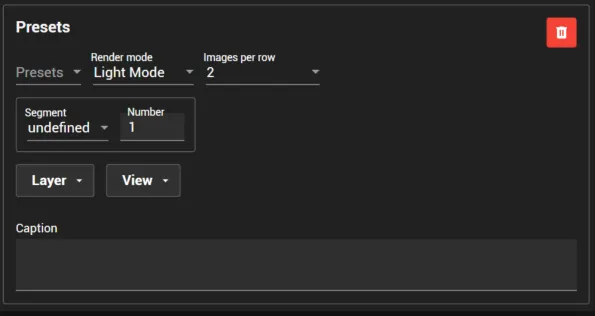
Presets cards (one result each; Add adds a card):
- Presets: the config preset of the result.
- Render mode: its Light Mode or Dark Mode variant.
- Images per row: one large image or two side by side.
- Segment and Number: the segment type and its occurrence in the session.
- Layer: which enabled layers are calculated and shown (default All enabled layers).
- View: one or more of Top, Front, Left and Right; one image per view.
- Caption: optional text below the result heading and above the images.
Each selected layer gets a tab with report settings: a different Particle Brain formula for an EEG position layer, a different Connectivity Metric, Frequency Range and Network setup for a connectivity layer, and Threshold Mode (Preset) with Manual Brains Combined (with minimum and maximum), Auto Brains Combined or Auto Brains Individual.