
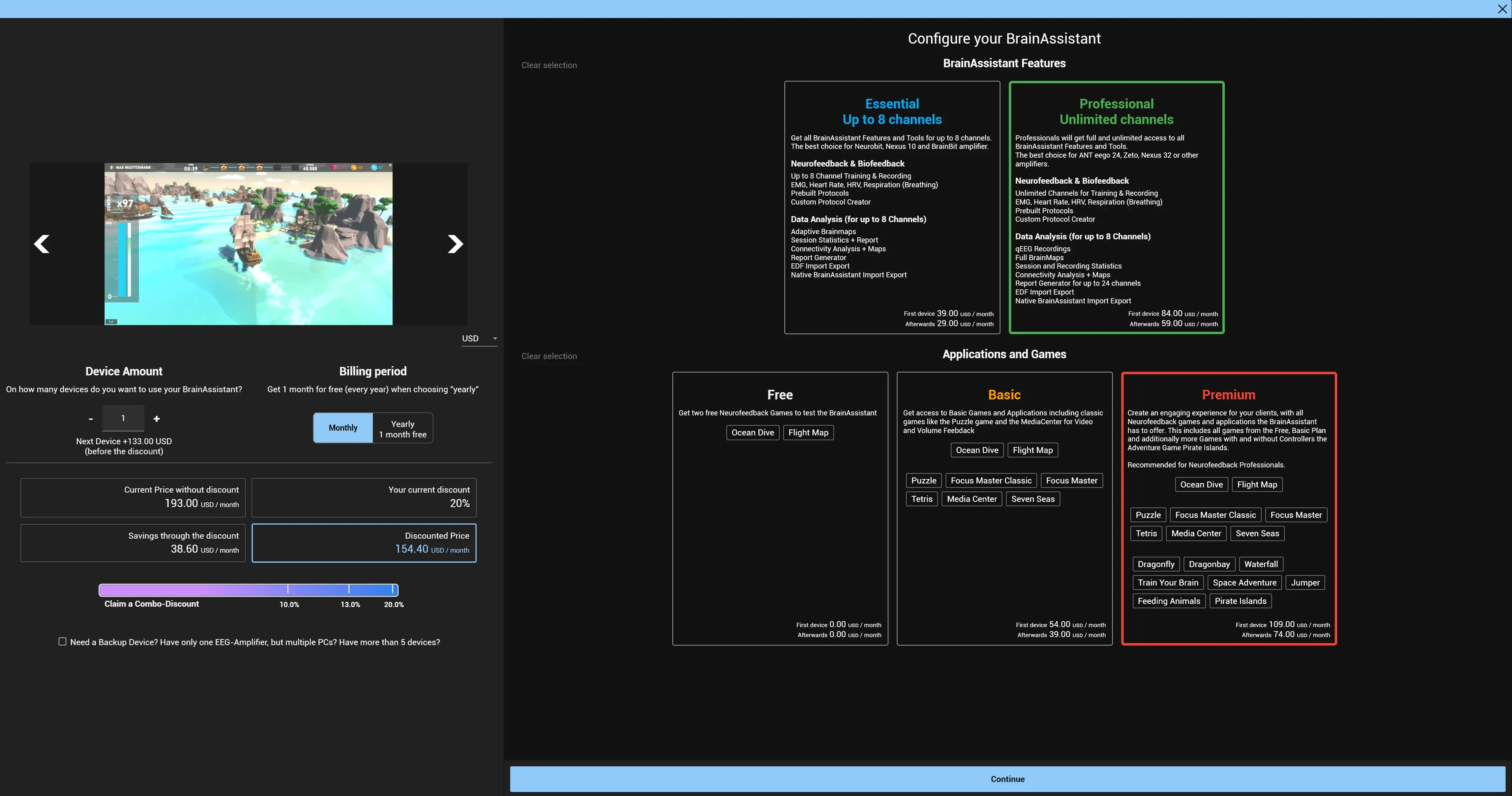
Subscribe to BrainAssistant
Choose your plans in the BrainAssistant shop, enter your address and payment method and confirm the order.
Managing your BrainAssistant account: subscribing and cancelling, license keys, the devices a license is active on, invoices, and moving your data when you change PCs.
Choose your plans in the BrainAssistant shop, enter your address and payment method and confirm the order.
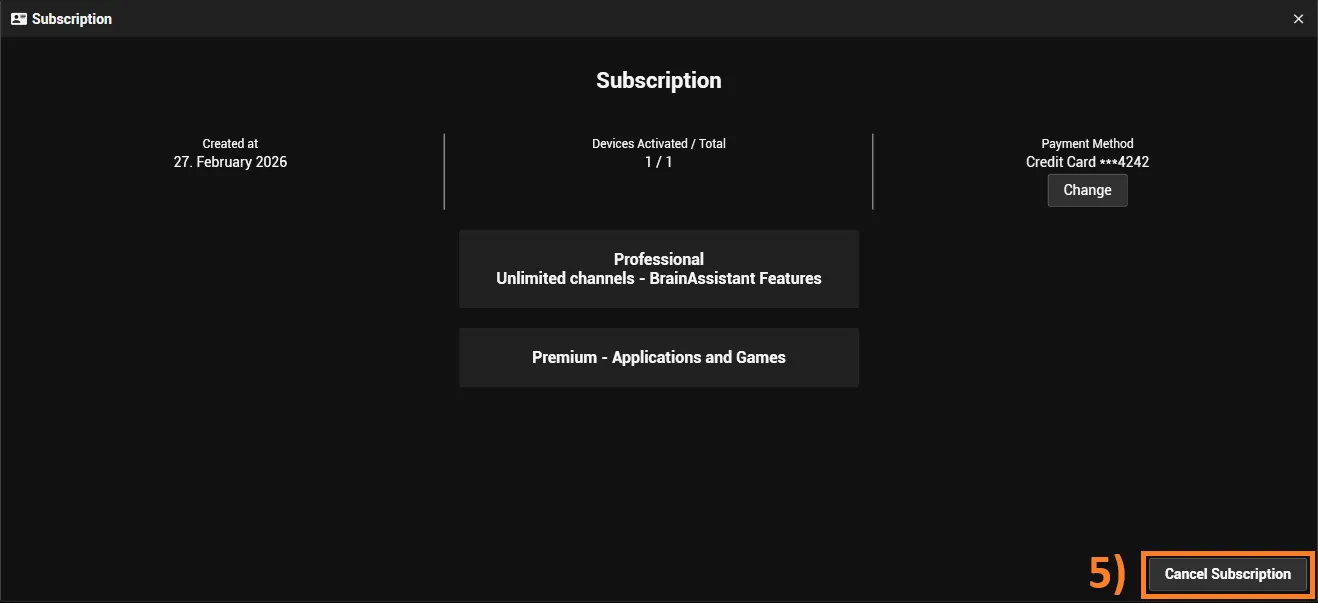
Cancel your BrainAssistant subscription in Account Management.
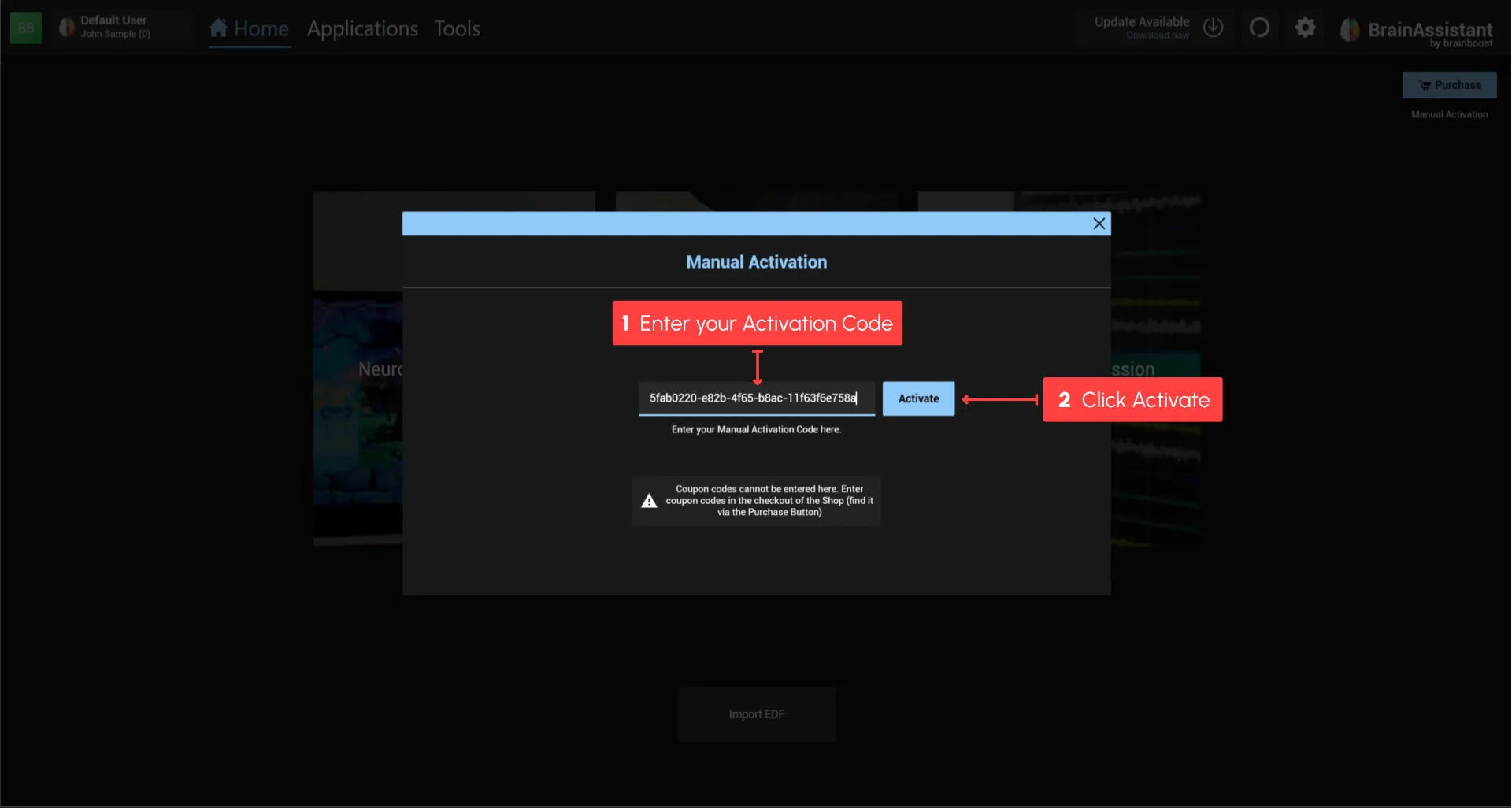
Activate BrainAssistant with a Manual Activation Key from brainboost.
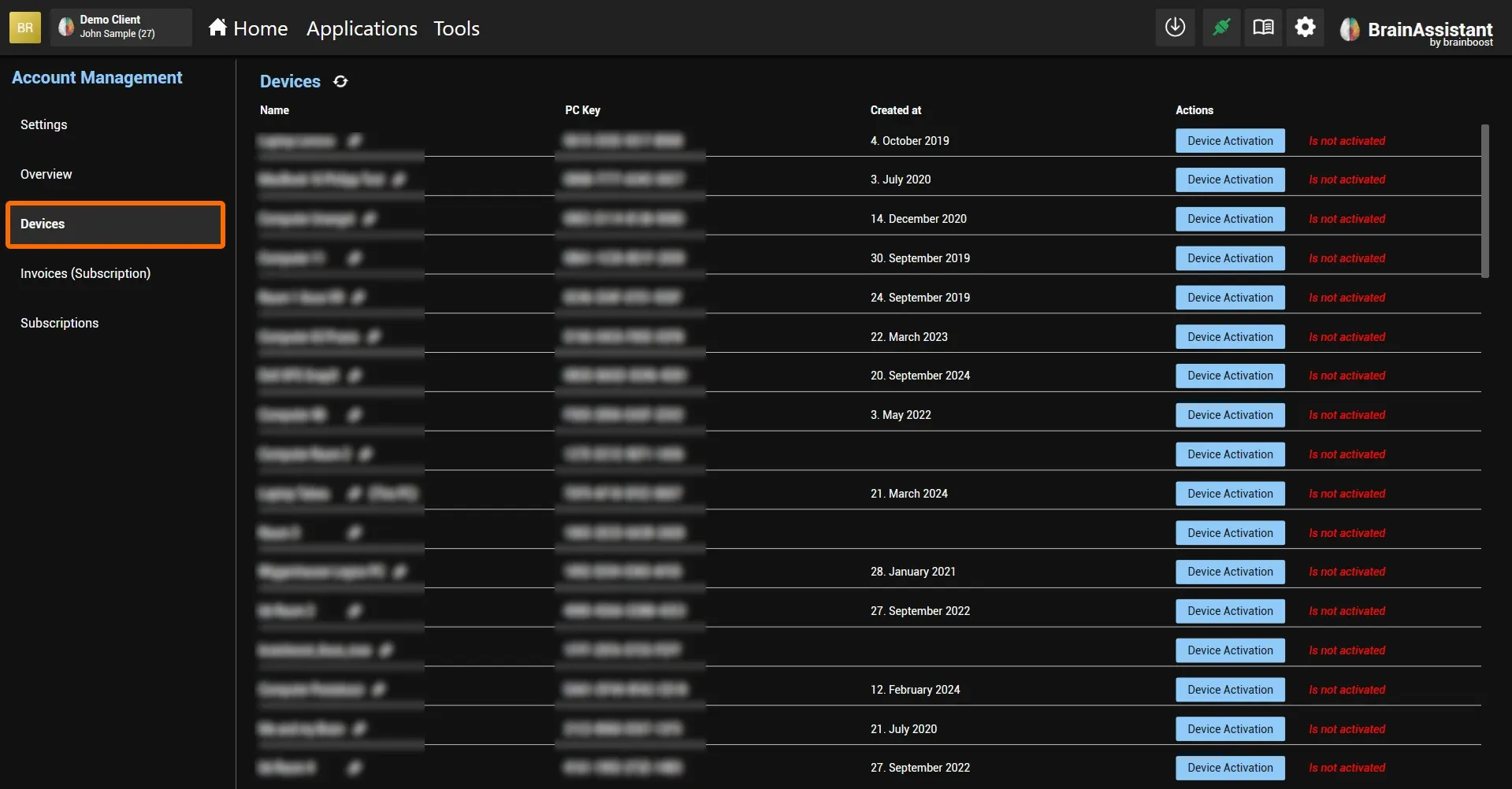
See which devices are connected to your account and choose which subscriptions are active on each device.
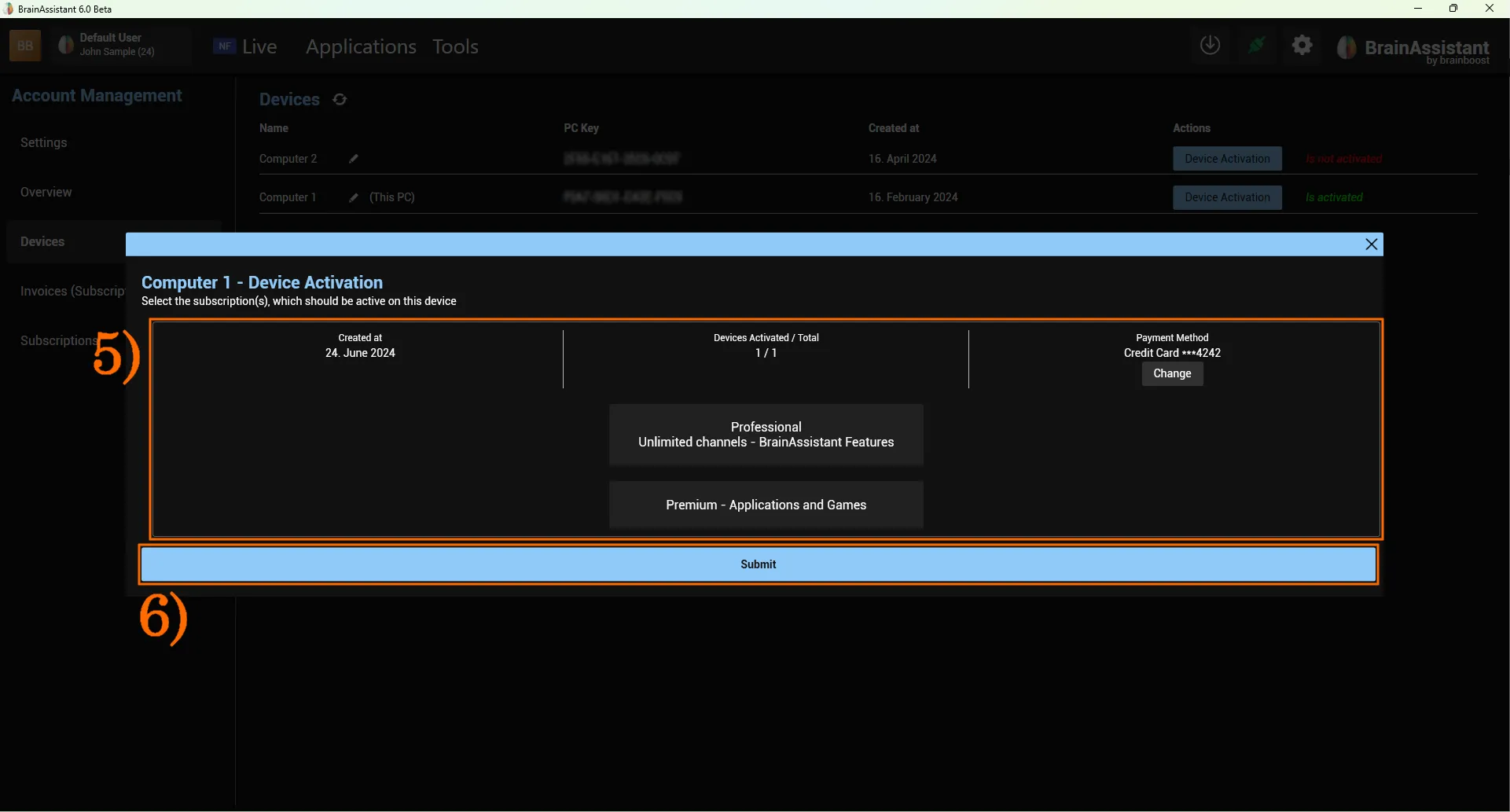
Remove a license from a device so you can assign it to another device.
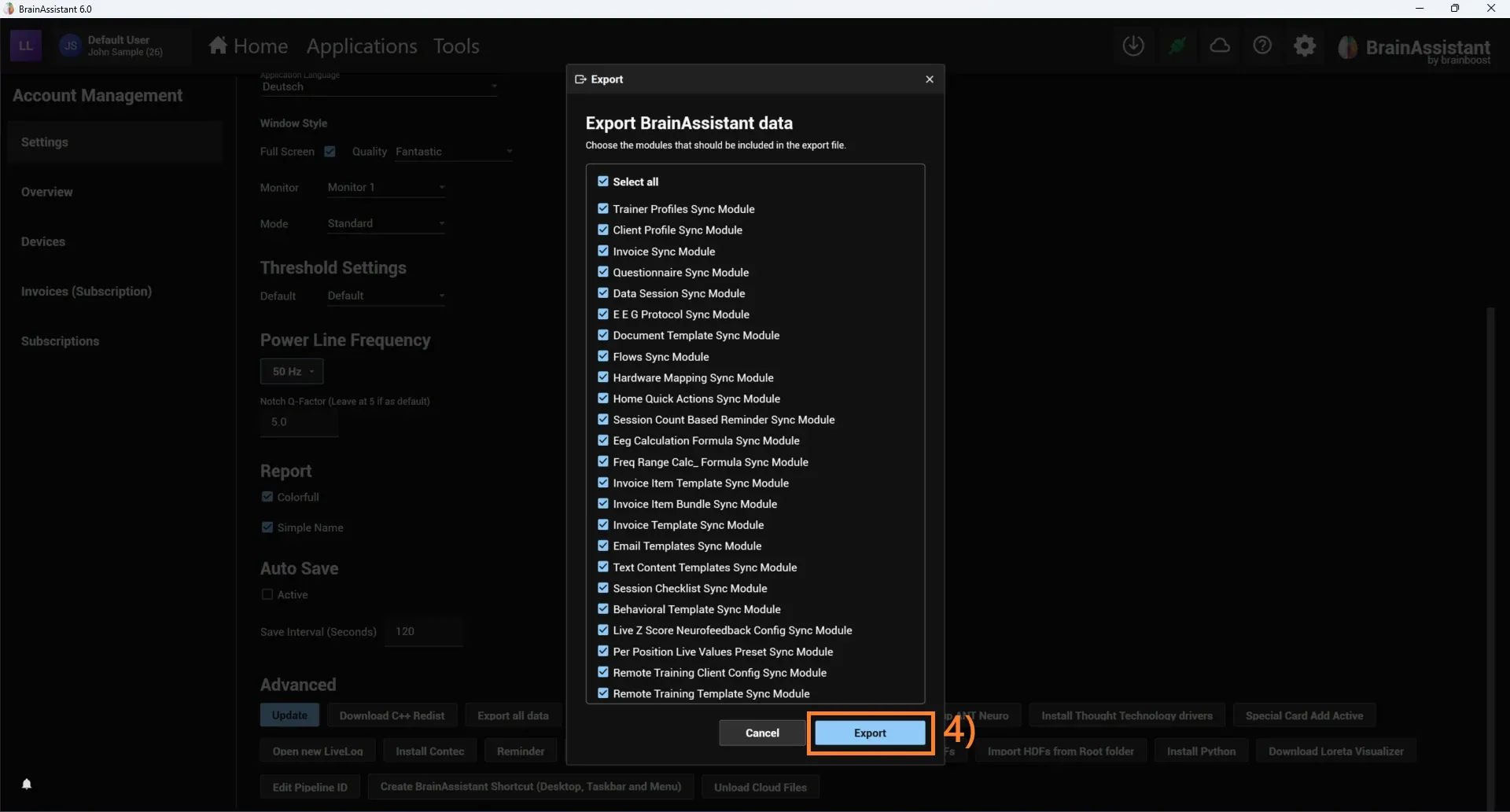
Export all BrainAssistant data on your old PC and import it on your new PC.
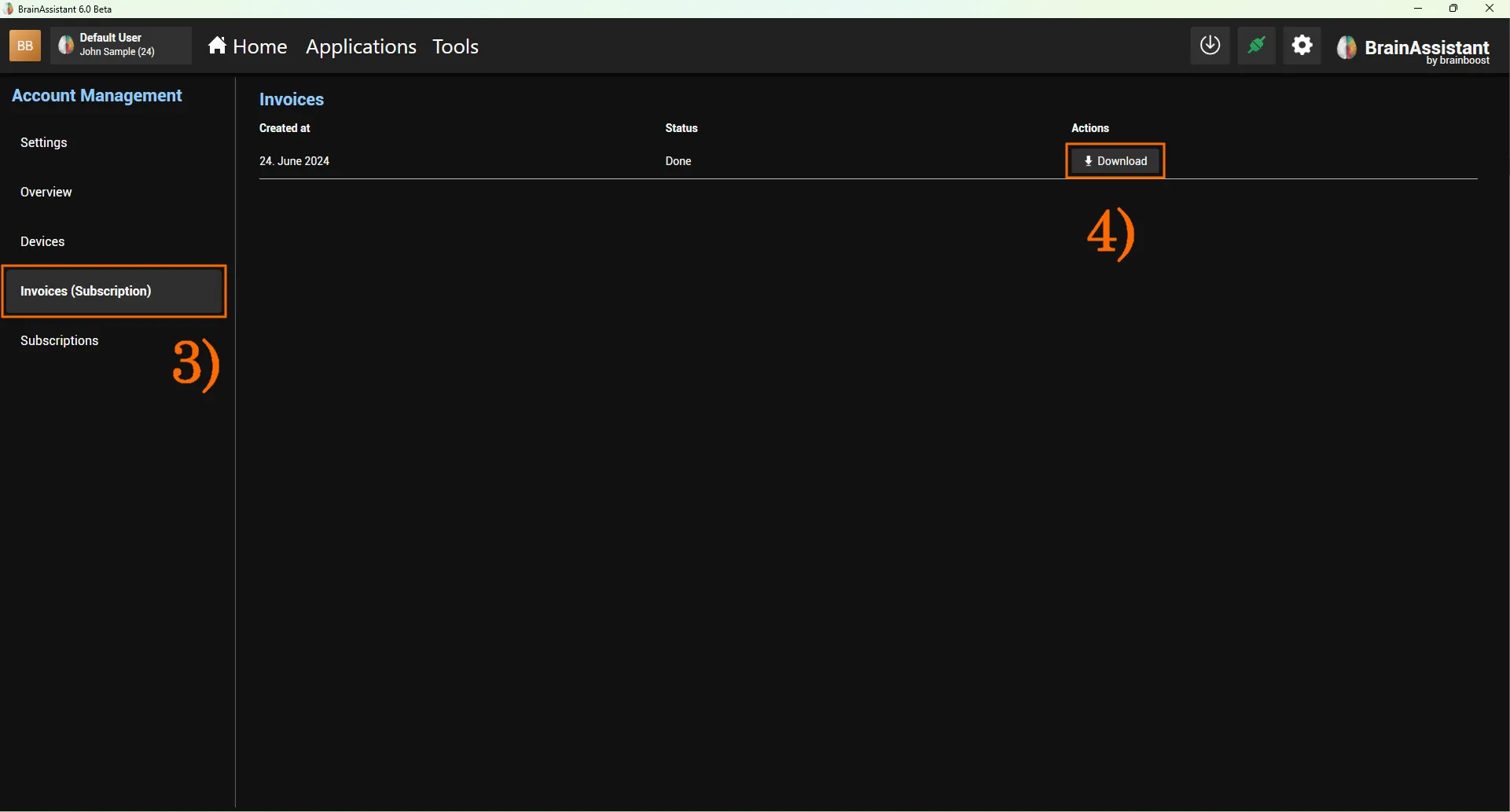
Download the invoices of your BrainAssistant subscription from Account Management.