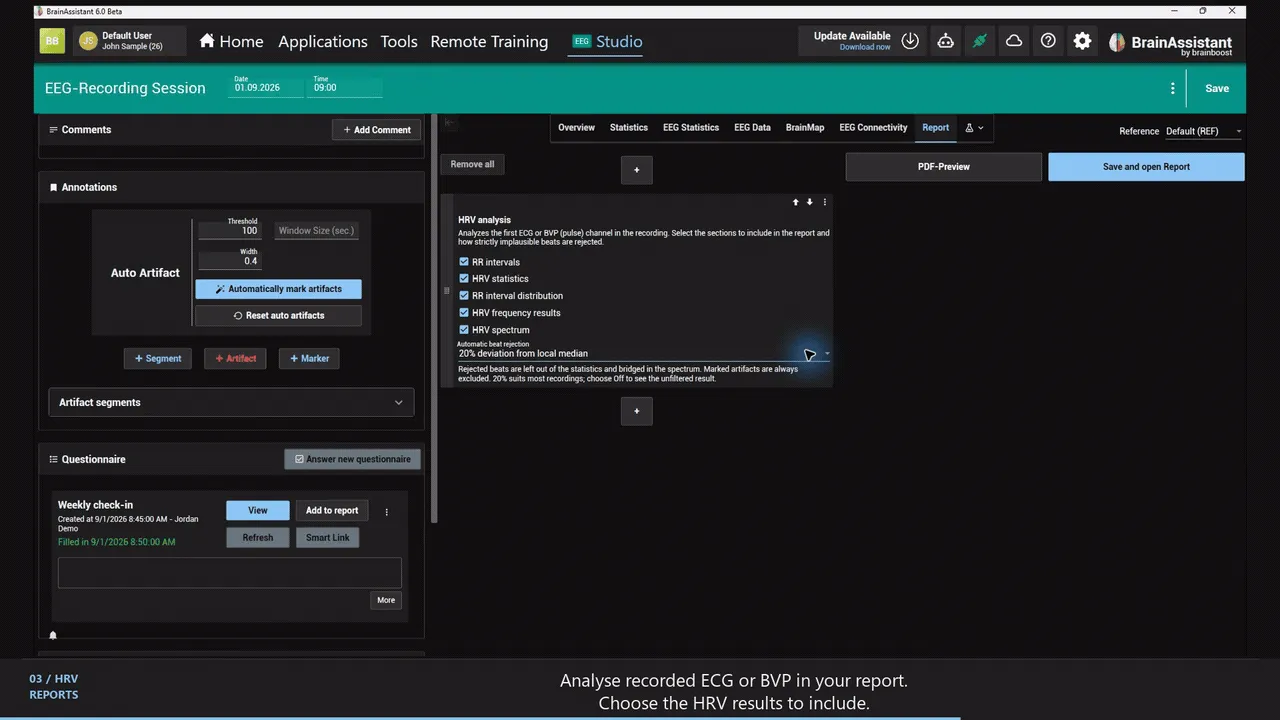
The HRV analysis report element analyses the first ECG or blood volume pulse (BVP) channel of a recording and shows the chosen results and charts (RR intervals, statistics, interval distribution, frequency results, spectrum).
Automatic beat rejection reduces the influence of movement and implausible beats (Automatic beat rejection, selectable in the element, default 20 % deviation from the local median of the neighbouring intervals, or Off); anything marked as an artifact is left out.
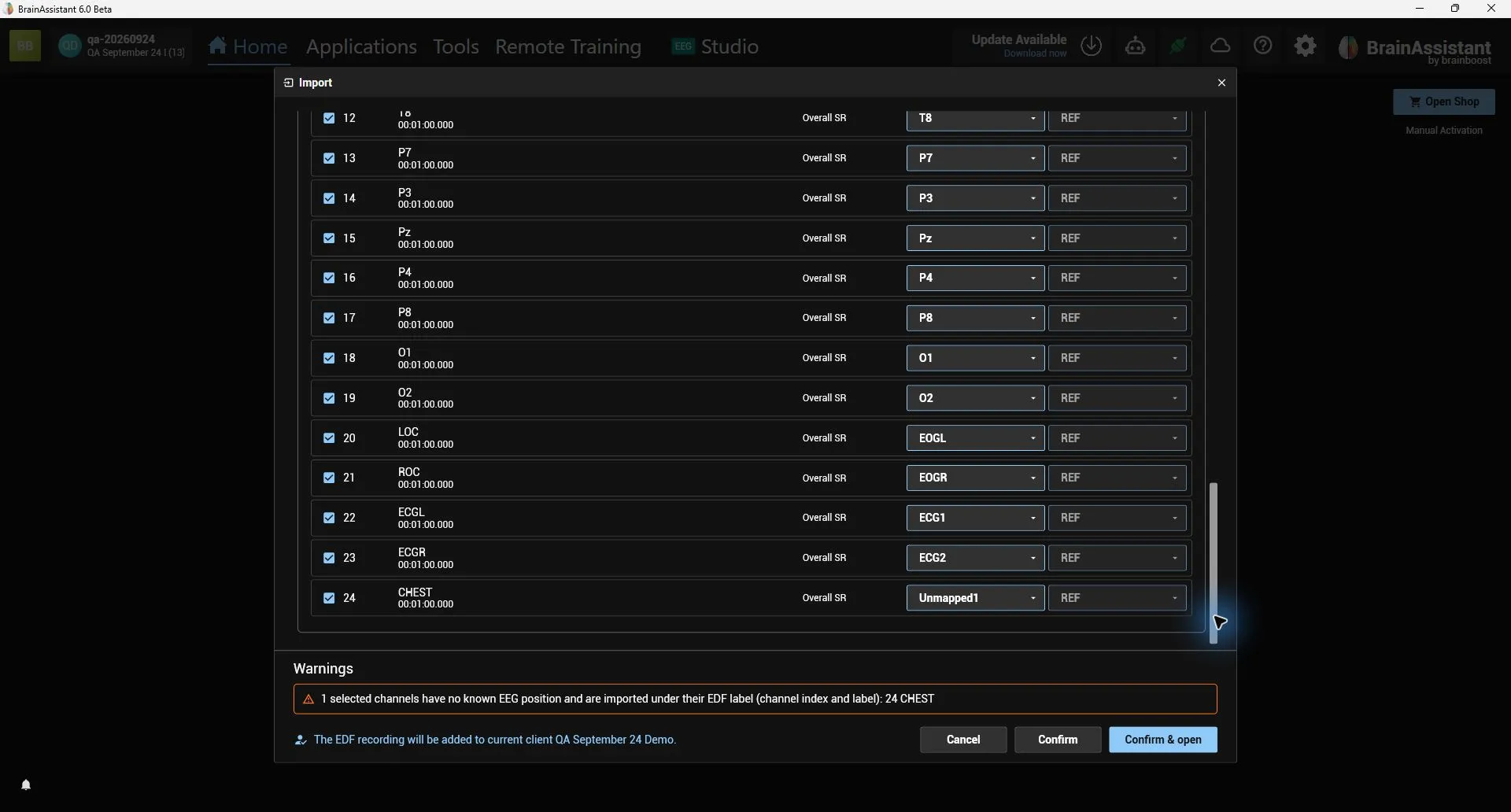
EDF import: the sleep-lab channel labels LOC/ROC are recognised as the left/right EOG and ECGL/ECGR as ECG channels, so the HRV analysis can use such recordings.
EDF channels without a known EEG position keep their original label: the raw EEG view in Studio and the excluded-channels list show e.g. “CHEST” instead of “Unmapped7”, and the import wizard lists these channels in a warning.
Reports can now analyze a recorded ECG channel for HRV, with individually selectable RR intervals, statistics, interval distribution, frequency results, and spectrum.
HRV reports also work with a recorded blood volume pulse (BVP) channel; EDF imports now recognize BVP/PPG and ECG/EKG labels such as “Sensor-G:BVP” as dedicated channels instead of unmapped ones.
HRV reports can automatically reject implausible beats (selectable in the report element, default 20% deviation from neighbouring intervals), which reduces the impact of movement artifacts on SDNN, RMSSD and pNN50; marked artifacts are always excluded.