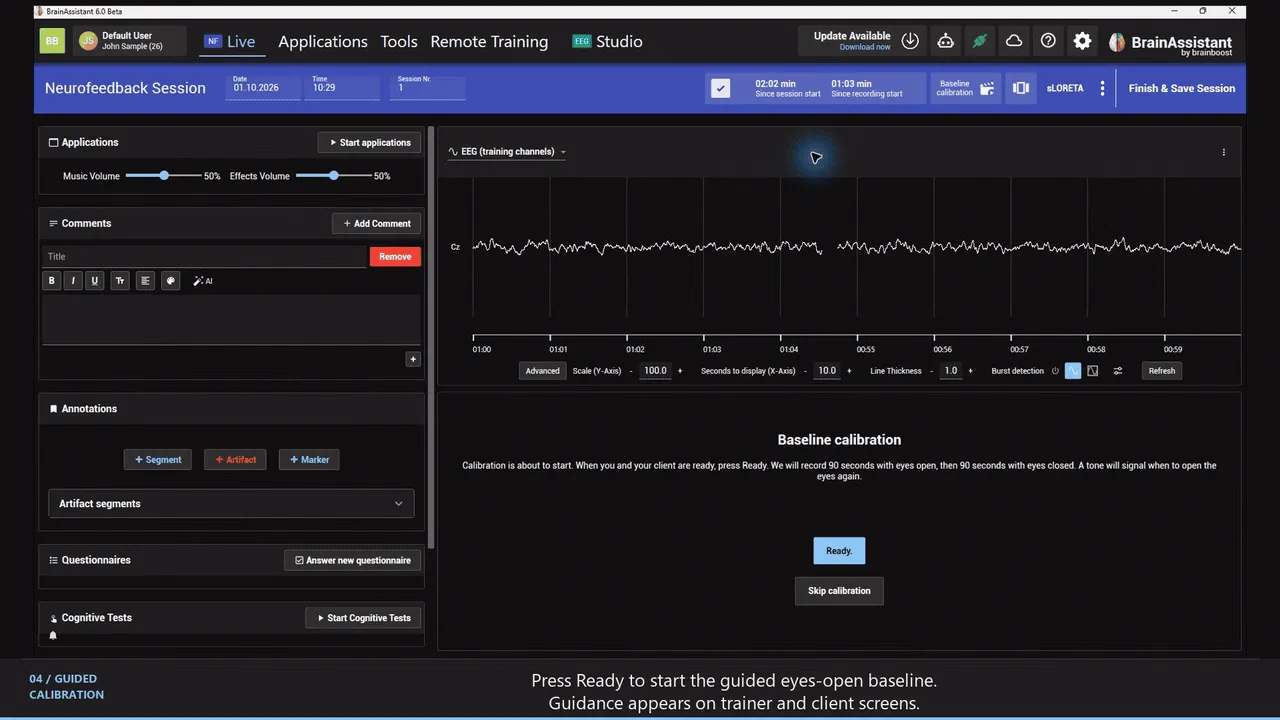
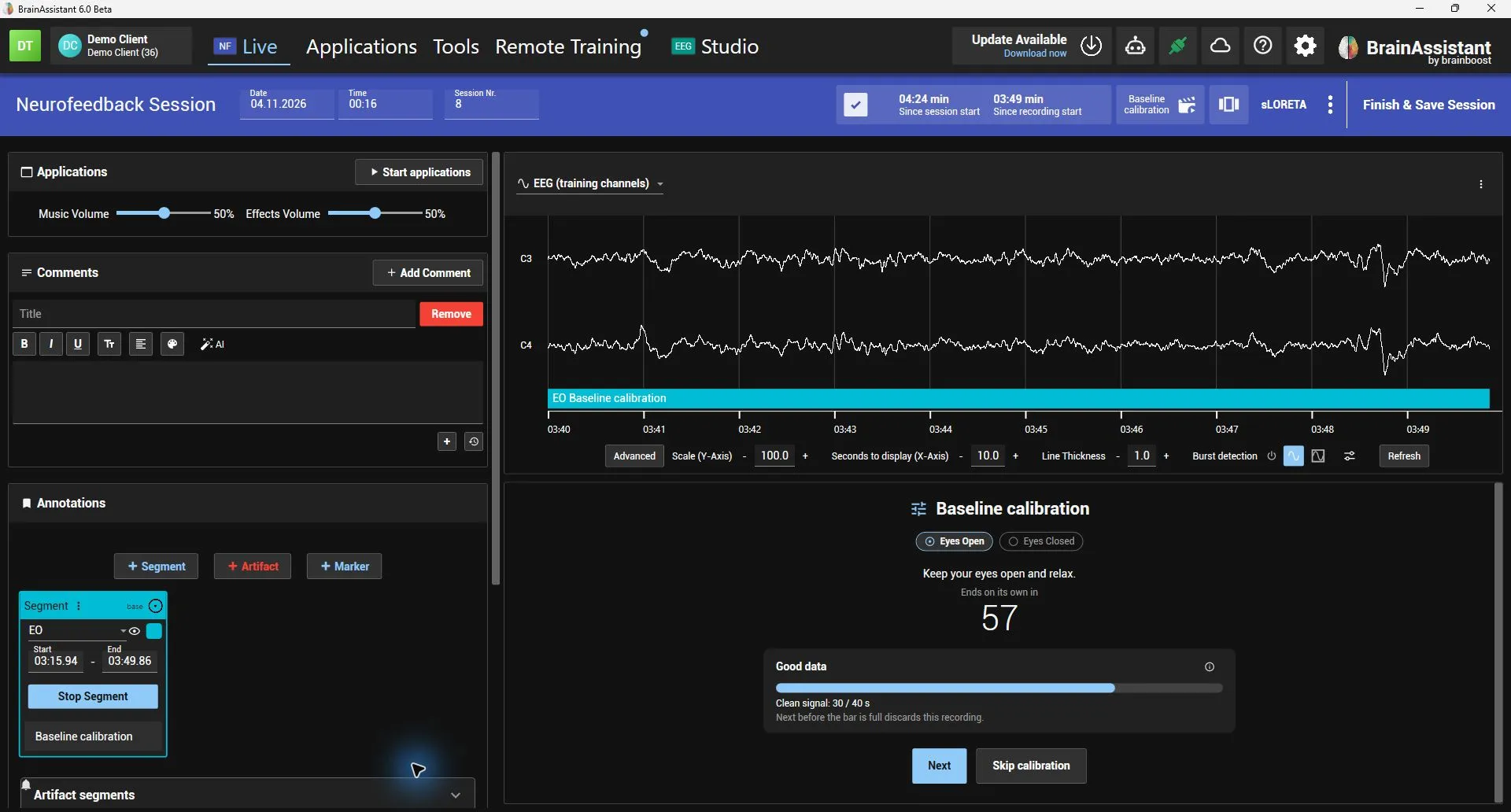
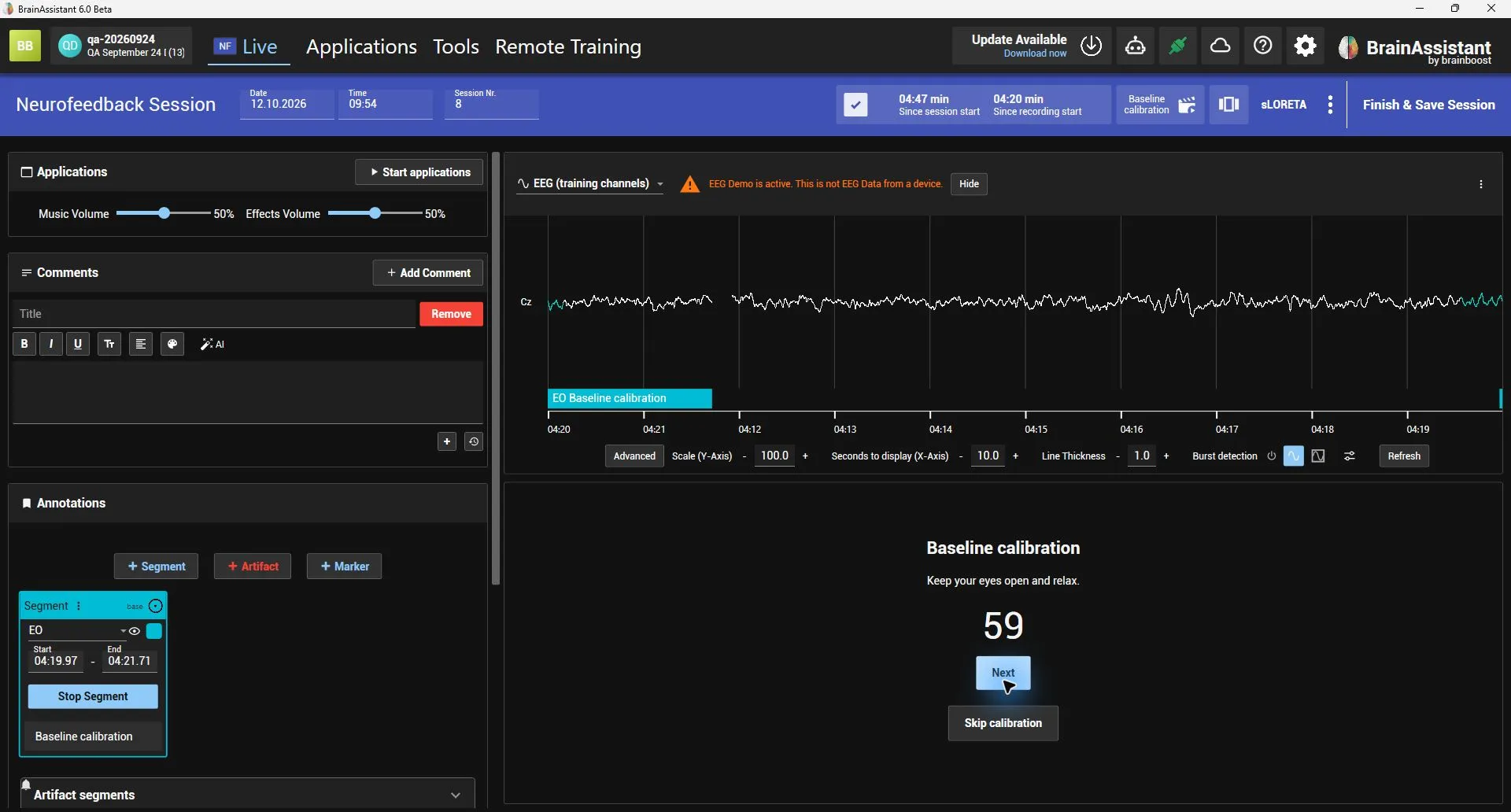
At the start of a neurofeedback session, BrainAssistant can guide you and your client through an eyes-open and an eyes-closed baseline recording. The calibration is off by default and turned on per PC in Settings → Baseline calibration. Instructions appear on both screens, and the baseline segments stay labelled for later review in the live session and in the Studio.
Ready starts a phase once trainer and client are prepared, Next ends a phase early, and the calibration can be skipped. Connections that do not support it skip it automatically. The recorded baseline can feed into the automatic thresholds.
How much it counts is set with the weights in the threshold settings. By default EEG bars follow their recent values only; raise the baseline weights to let the baseline count.
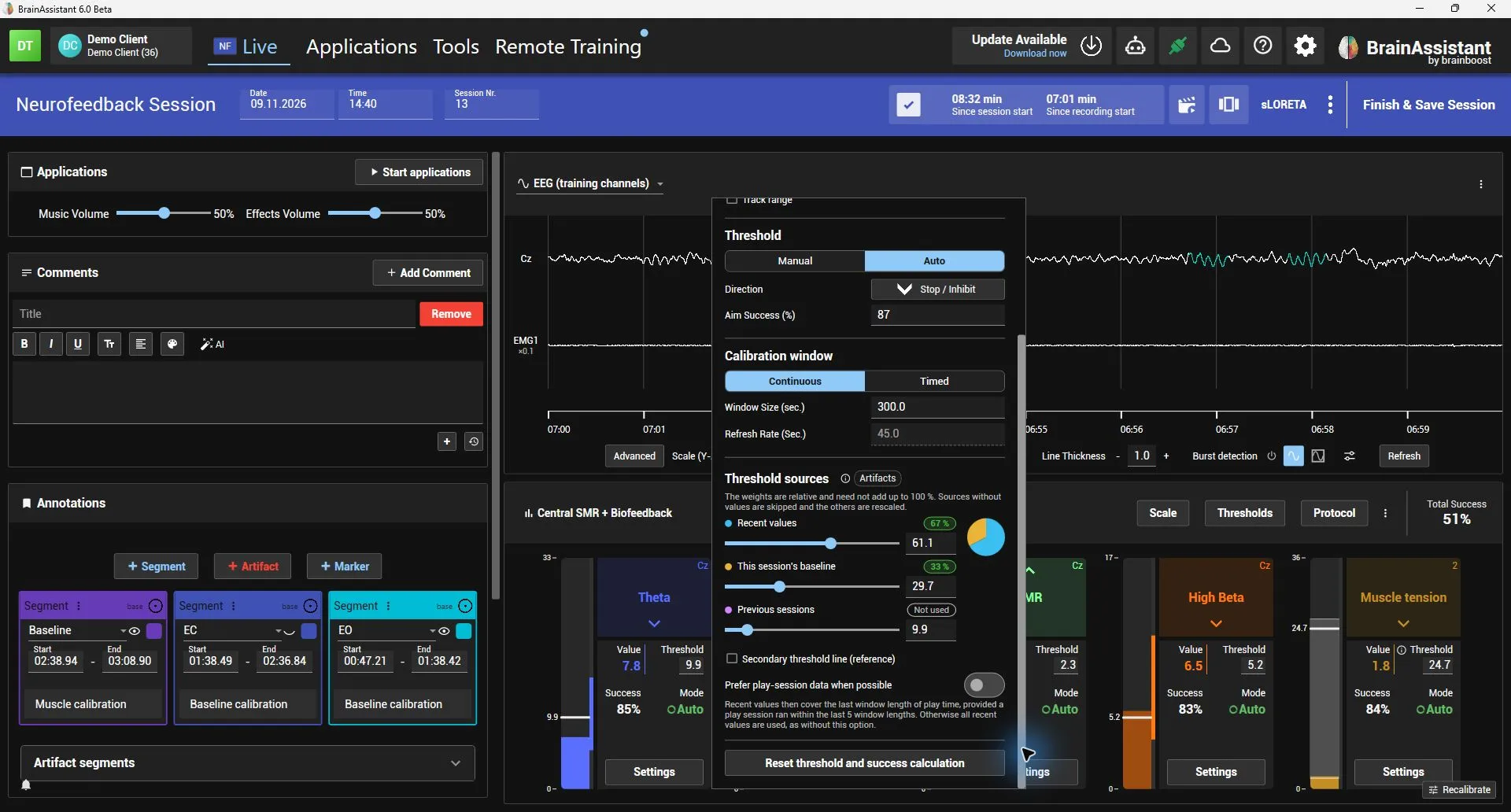
The threshold settings list three Threshold sources: Recent values (the bar’s values during the training), This session’s baseline and Previous sessions (the baselines of the client’s last three sessions). Each source proposes a threshold for the bar’s aim success, and the weights decide how much each proposal counts. With only This session’s baseline weighted, the threshold stays where the baseline puts it for the whole session instead of following the client. The steps are in Set a threshold from a baseline.
The baseline of a bar is made of its values during the recording, without artifacts. The eyes-open baseline is used during the training, the eyes-closed one while an eyes-closed segment is running. Baselines count only when the calibration is switched on in the settings or Recalibrate was used in the session.
While a step records, a progress bar shows how much good data it holds. Once it is full, Next turns green and ends the step early while keeping the recording; otherwise the step ends on its own after the maximum length set per PC in the settings (“Max. calibration duration”).
After the eyes-open recording, the client presses A (or you press Ready) to start the eyes-closed recording, so nobody is caught off guard by the switch.
The calibration ends right after the tone that tells the client to open their eyes again, without the extra “Calibration is complete” screen.
Each threshold source (recent values, this session’s baseline, previous sessions) has a slider next to its percent field. A small pie chart in the same colours shows how much each source actually makes up of the threshold right now.
EEG bars now follow their recent values only by default (100 / 0 / 0). Raise a baseline weight to let the baseline count. Breathing and muscle bars keep 50 / 30 / 20, because their range comes from their own calibration. Weights saved before this change load the new default.
With At session start set to no resting EEG calibration, EEG bars no longer use baselines for their automatic threshold, not even those of earlier sessions. The threshold follows the recent values only, and the threshold settings hide the weights of the baselines.
Recalibrate during the session switches the baselines on for the rest of the session. Breathing and muscle bars keep their own calibration as before.
An artifact in the eyes-open or eyes-closed baseline now leaves out only the values inside it, the same rule reports use for feedback bar values. Before, a single blink cost about 5 seconds of clean signal (about 11 seconds with live z-scores), so the progress bar fills much faster now.
Finish & Save Session now always responds: the button shows “Saving…” while the session is saved. If saving cannot complete, a message says so and the session stays open instead of nothing happening.
New Save recovery copy in the session bar menu (⋮): saves the EEG recorded so far as an EDF+ file and the session details as a JSON file. The session keeps running, and the EDF+ file can be imported again later.
While a calibration step records, the trainer panel shows how much good data it already holds: clean signal seconds for eyes open and eyes closed, full breaths for breathing, relaxed and tensed time for muscle. When the bar is full, Next turns green with a checkmark and ends the step early while keeping the recording. A step during which the recording was paused or the signal dropped out says so and is not used.
The maximum length of each calibration step is a setting per PC (“Max. calibration duration”): eyes open / eyes closed 90 seconds each by default, breathing 45 seconds, muscle 30 seconds.
The calibration panel has a new layout with an overview of the steps, a countdown and a short explanation of how the good data is counted.
The baseline recordings for automatic thresholds leave out artifacts: during the session the parts you mark as artifact and amplitude artifacts BrainAssistant detects on the scalp channels; for earlier sessions their artifact markings, including Studio edits, and the automatic artifact detection of their calculation. A baseline with less than 30 seconds of clean data is not used.
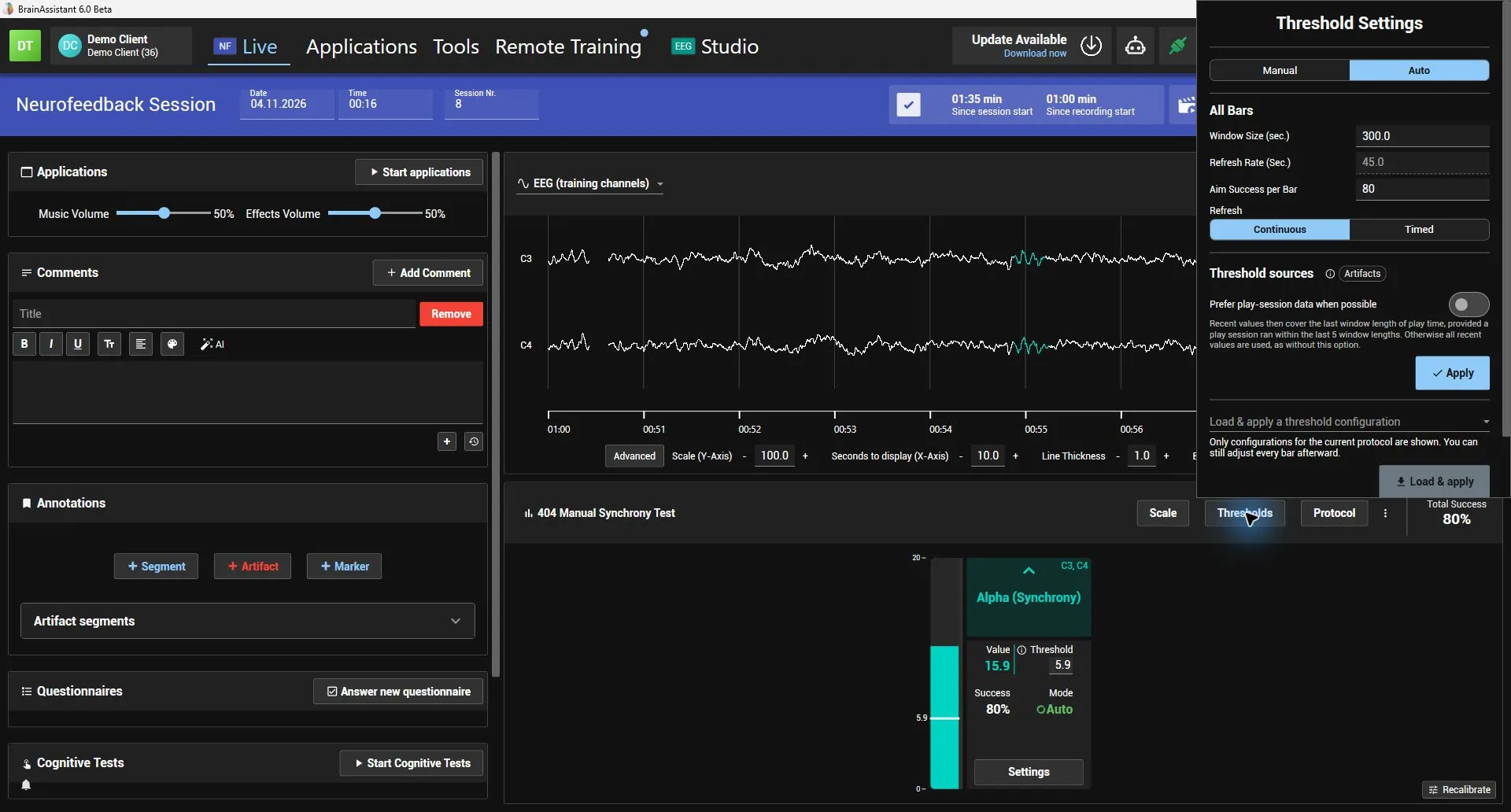
The threshold settings of each bar now hold the weights of recent values, this session’s baseline and previous sessions’ baselines, and the play-session preference. A chip next to each weight shows whether that part feeds the automatic threshold right now and how much; hover it to see why a part is not used. The global threshold settings show the same chips for all bars.
Biofeedback bars can track a range instead of only a threshold: the bounds follow the recent values, this session’s calibration and previous sessions, and can be set by hand. The bar shows the range as a band. A breathing bar reads a respiration belt, tracks its range by default and can carry a breathing pacer.
When a session has breathing or muscle bars, the calibration flow adds a breathing segment (45 s) and a relax-then-contract muscle segment (30 s) to the resting EEG calibration. Recalibrate on the bars panel records another calibration during the session, and a segment’s baseline flag and calibration kind can be changed on its card, live and in the Studio.
The session setup offers quick setups for breathing, breathing with heart rate, muscle and HRV.
Baseline calibration now records 60 seconds with eyes open and 60 seconds with eyes closed (previously 90 seconds each); the instructions for trainer and client say so.
The calibration panel in the live session has a new “Next” button that ends the current calibration step and continues with the next one. A phase that is cut short this way is not used for the baseline values, the same as a skipped calibration.
New “Baseline calibration” setting (per PC) chooses whether the baseline calibration runs at the start of a neurofeedback session. By default it is off and the session continues straight to the training flow; “Resting EEG calibration starts automatically” keeps the previous behaviour.
Neurofeedback sessions can start with a guided, skippable eyes-open and eyes-closed baseline calibration on the trainer and client screens; unsupported connections skip it automatically. Calibration segments have a subtle tag in live sessions and Studio.
Auto thresholds can balance recent values with the current session’s baseline and the last three sessions, with adjustable percentage weights in global threshold settings.