A .bata file is a file explicitly from and for BrainAssistant. It contains all data of the session, which can therefore also be imported: client data, comments, segments, cognitive tests and more.
An EDF file is a standard format for EEG signals. It stores start and end timestamps, some client information and segments such as EO and EC. EDF files make it easy to move EEG recordings between different programs, in this case into or out of BrainAssistant.
Import
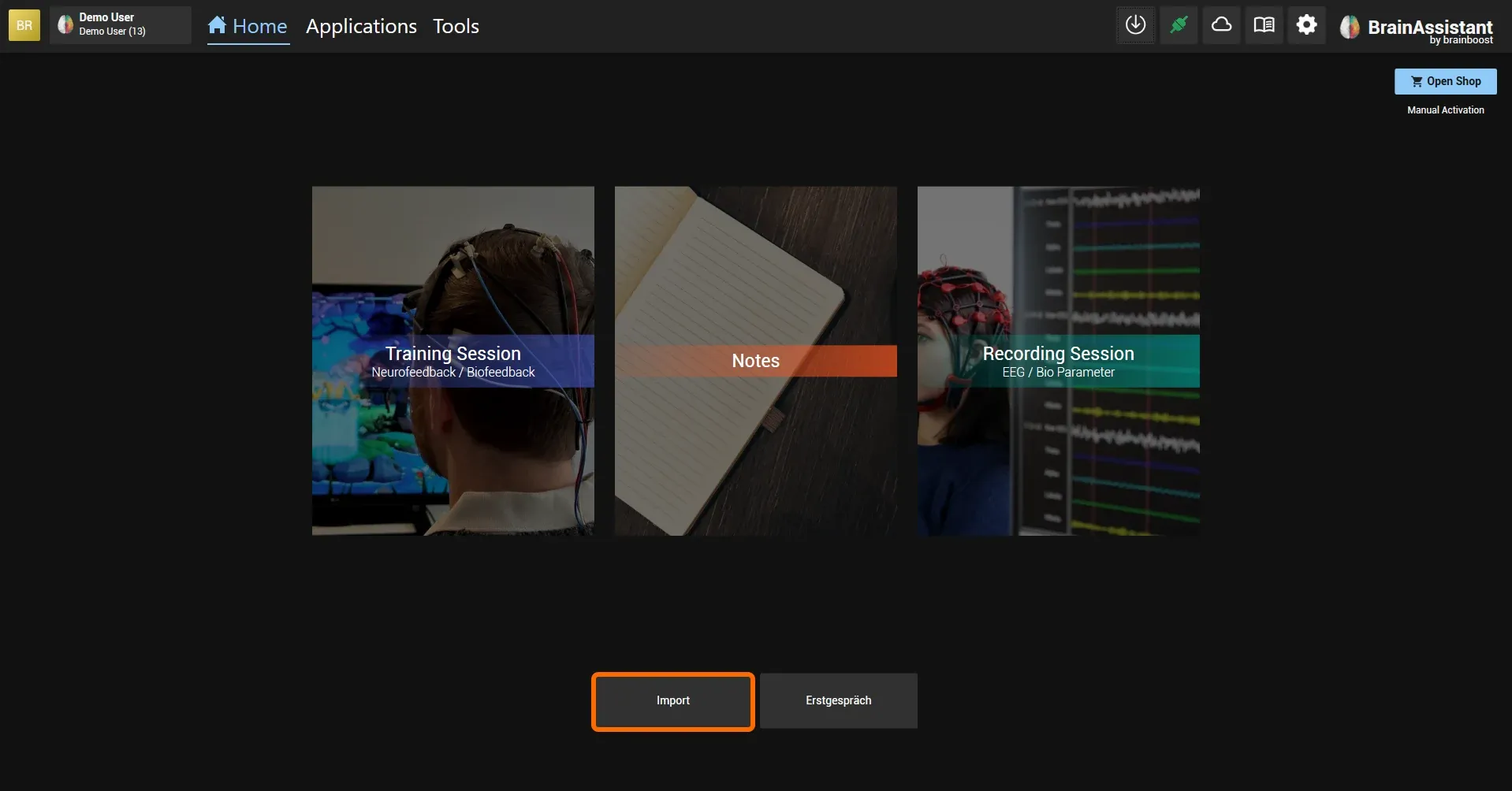
To import a file or a client into BrainAssistant, click Import on the home screen and import the individual session or the entire client you selected.
.bata file
If the client of the imported .bata file already exists in BrainAssistant, the imported file is saved to this client.
If the client does not exist yet, it is created automatically and you find it at the bottom of the client search window. As soon as you close and reopen BrainAssistant, the client is sorted alphabetically in the search window.
EDF file
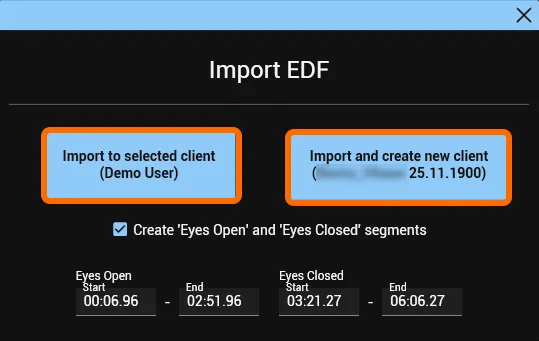
EO and EC segments saved in an EDF file can be transferred into BrainAssistant. The option Create Eyes Open and Eyes Closed segments is then selected automatically (blue tick). Leave the tick set and click one of the two options:
- Import the currently selected client, or
- Import and create new client.
If the import was successful, a green Success box appears briefly.
More on importing two separate EO and EC recordings as one session: Combine two separate recordings (EO and EC).
Export
.bata file
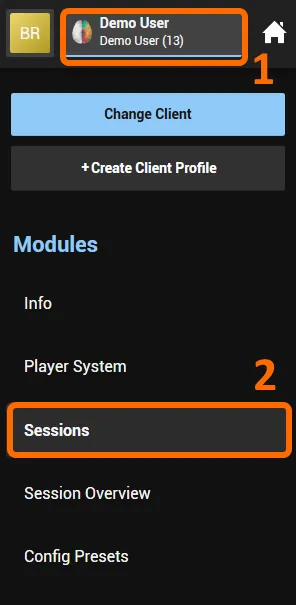
- Select the client whose session you want to export.
- Click Sessions.
Find the session you want to export and click the three vertical dots.

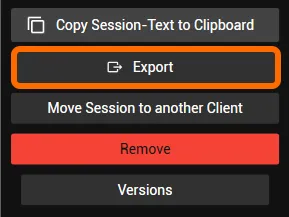
In the window that appears, click Export and save the .bata file on your PC or an external storage medium.
EDF file
To export an EDF file of a recording or training session, find the session and click Show Details.

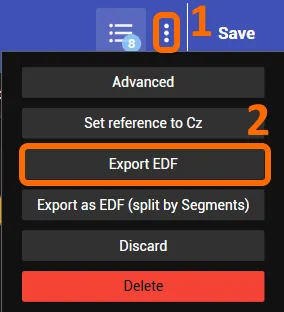
- Click the three vertical dots of the selected session.
- Select Export EDF and save the EDF file on your PC or an external storage medium.