
Open the device list
-
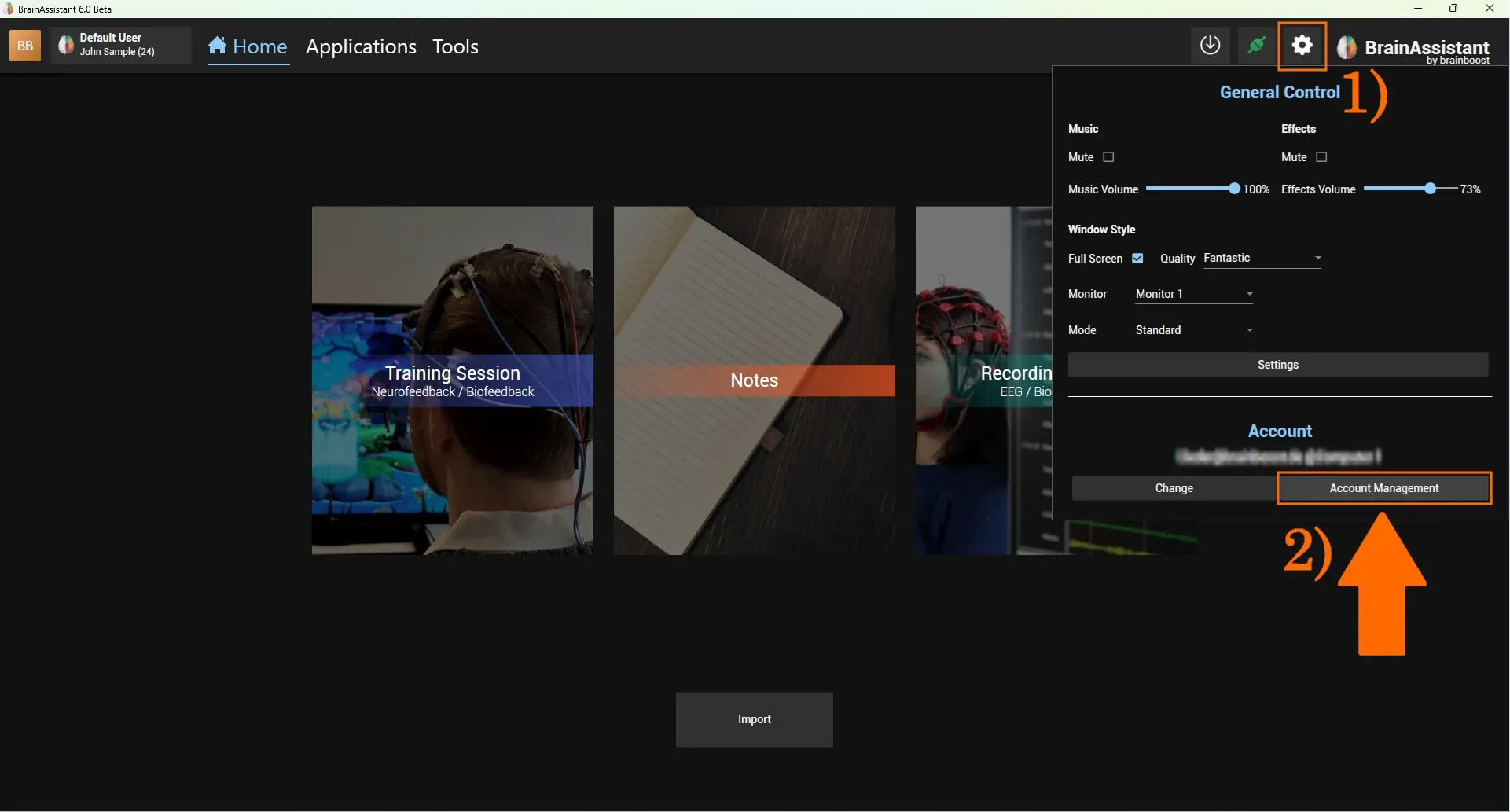
Click the Settings button in the top right corner.
-
Select Account Management.
-
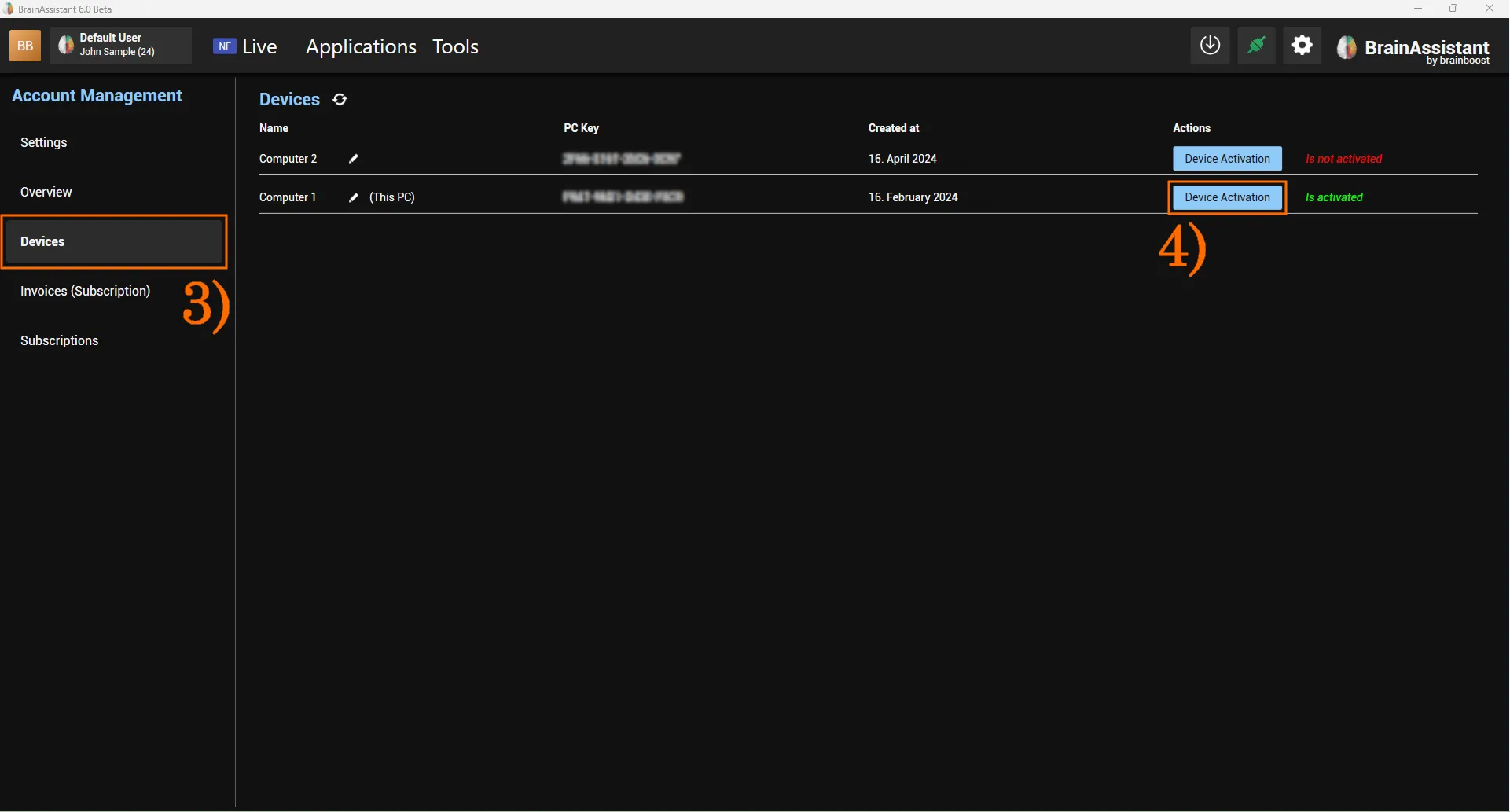
Select the Devices tab.
-
Click Device Activation for the device you want to deactivate.
Remove the license
-
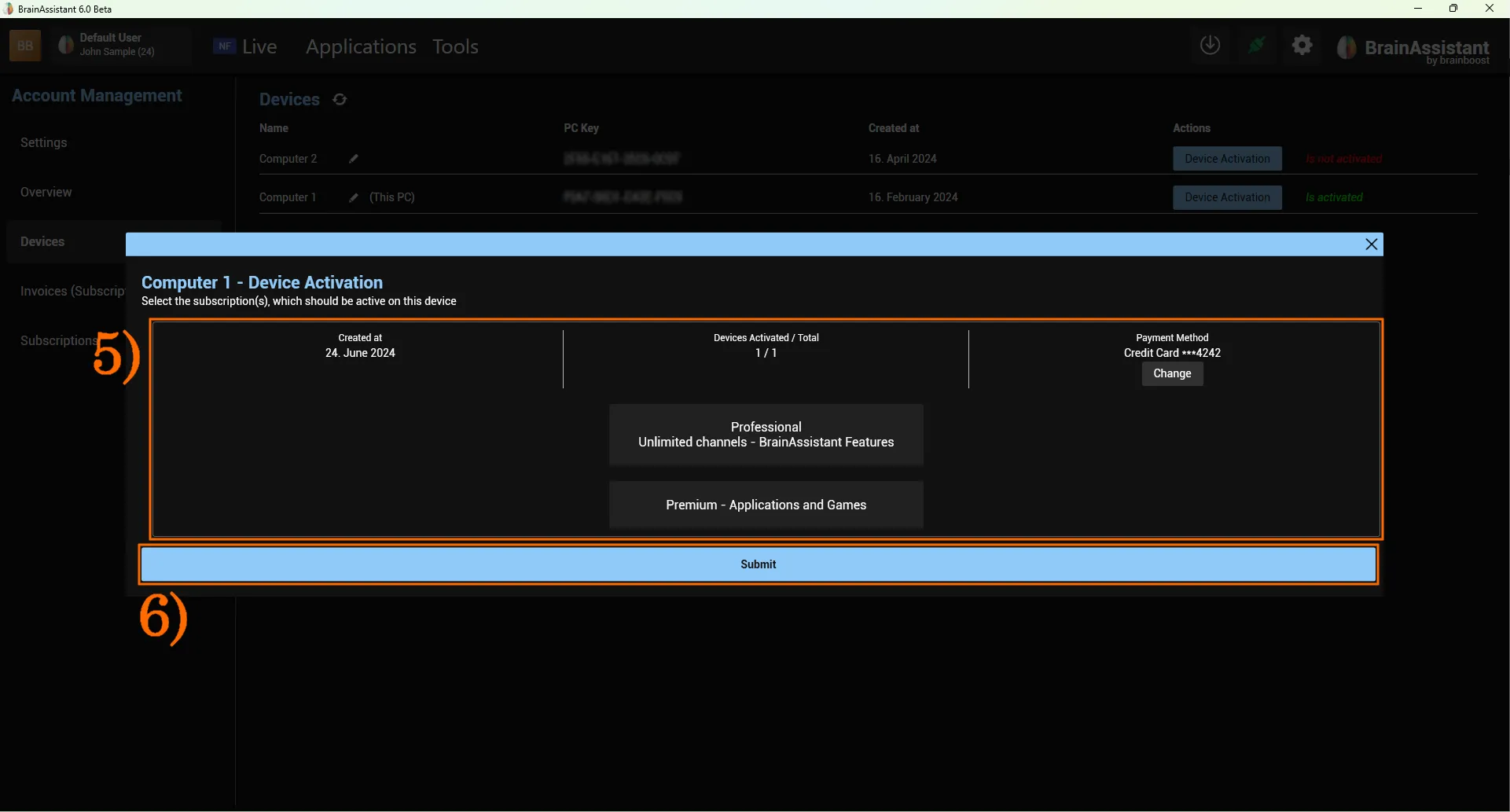
Select the license you want to remove from the device.
-
Click Submit to confirm. The window closes automatically and the device changes from Is activated to Is not activated.
Your license is now unassigned. You can assign it to any device on which you have used BrainAssistant and logged in with your account.
More in Devices and subscriptions.