
The EEG demo data playback lets you test BrainAssistant features without an amplifier connected. This is useful when you teach someone how to use BrainAssistant or want to try something out yourself.
Use the built-in EEG demo data
-
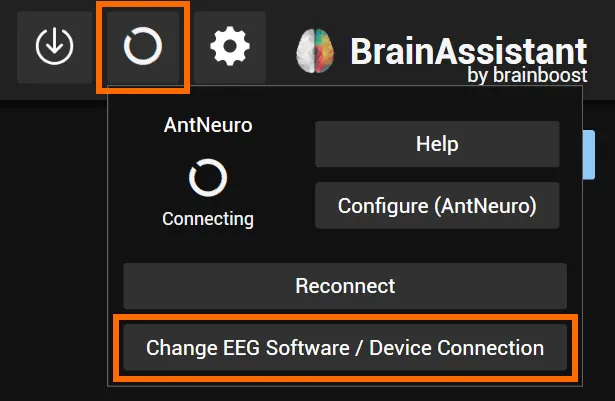
Click the connection symbol to open the popup of your current connection, then click Change EEG Software / Device Connection.
-
Select Use EEG demo data at the bottom.
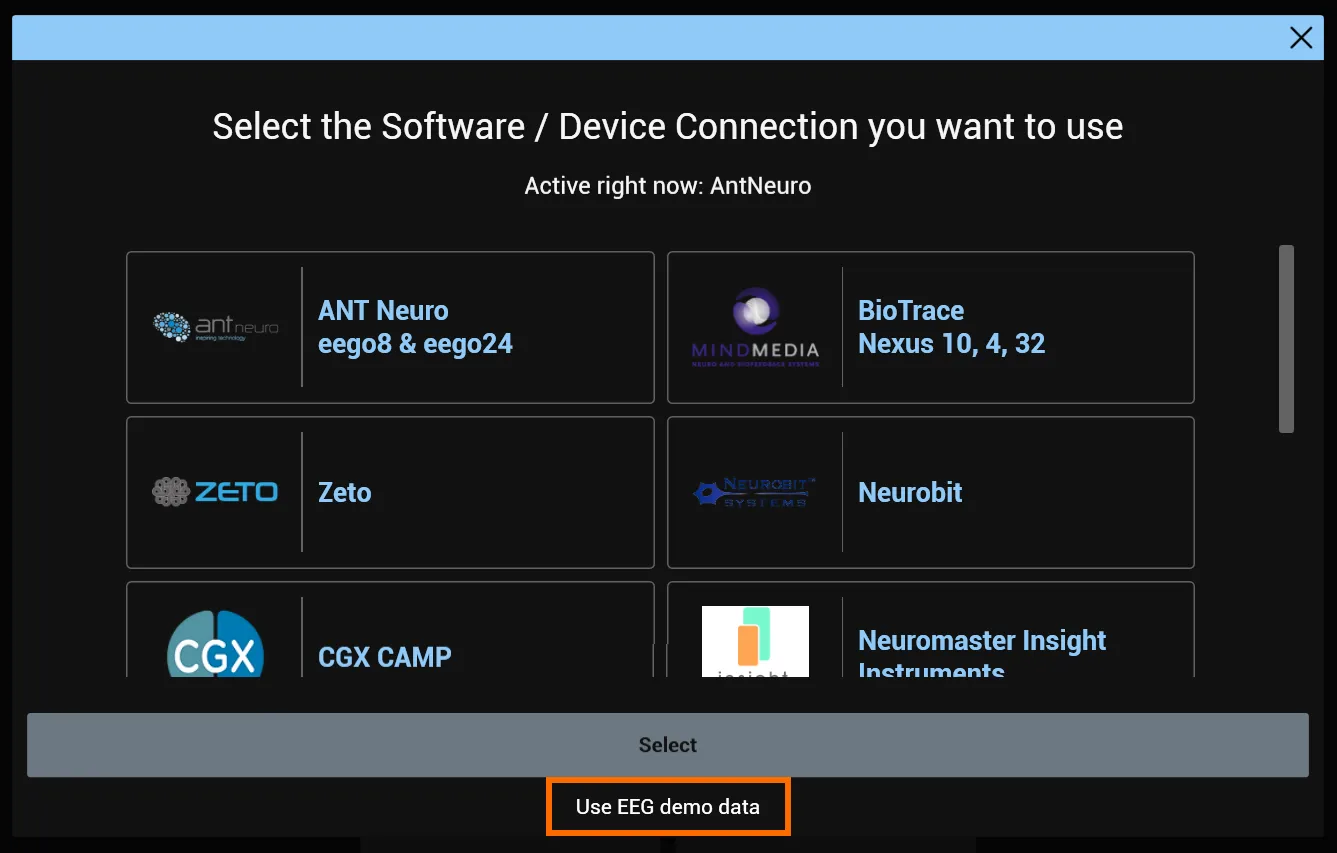
The BrainAssistant EEG demo data is now streaming in the background. You can start a Training Session or Recording Session with it.
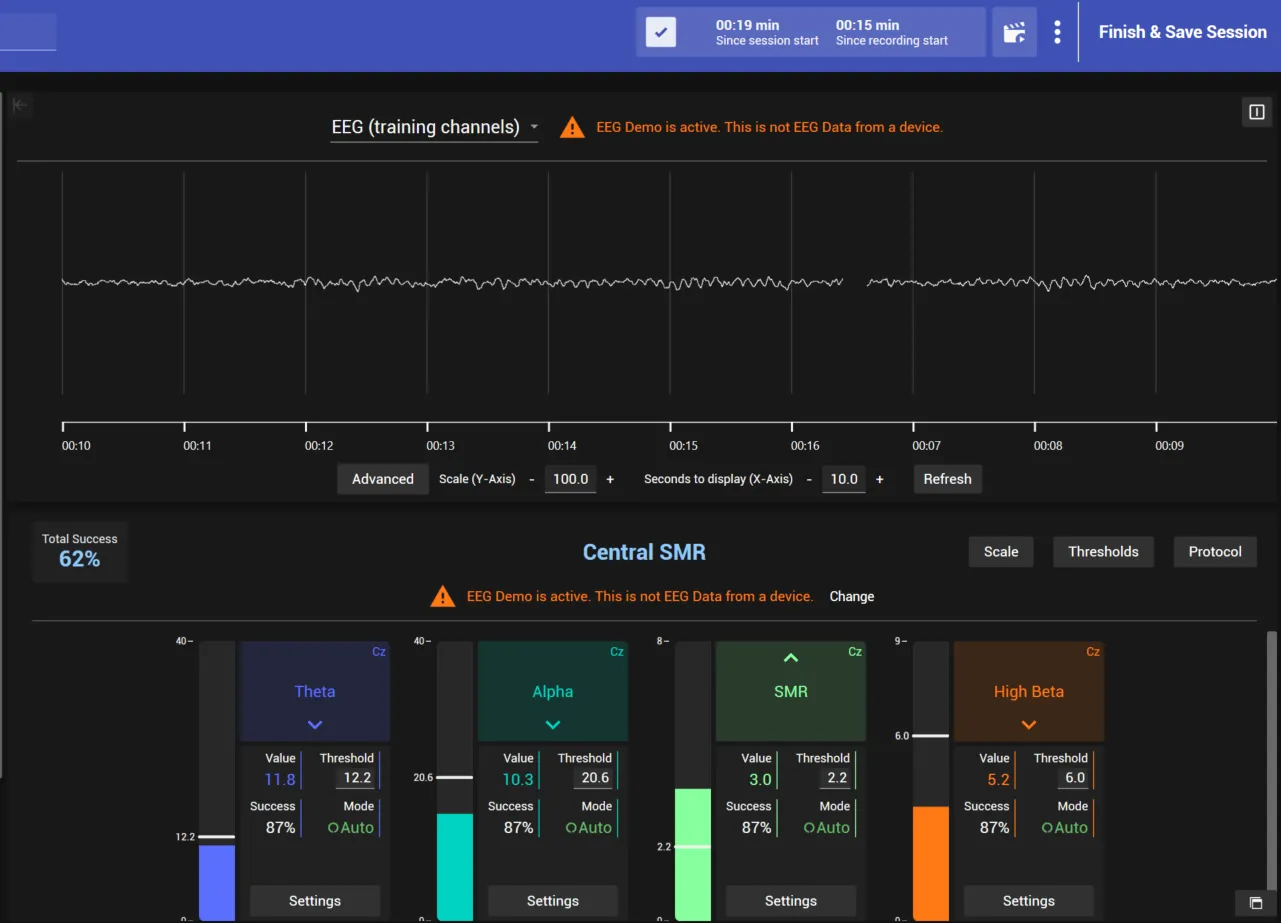
Optional: play back your own EDF file
You can also use your own EDF file. Click the connection symbol at the top right and then Change EEG demo data (EDF).
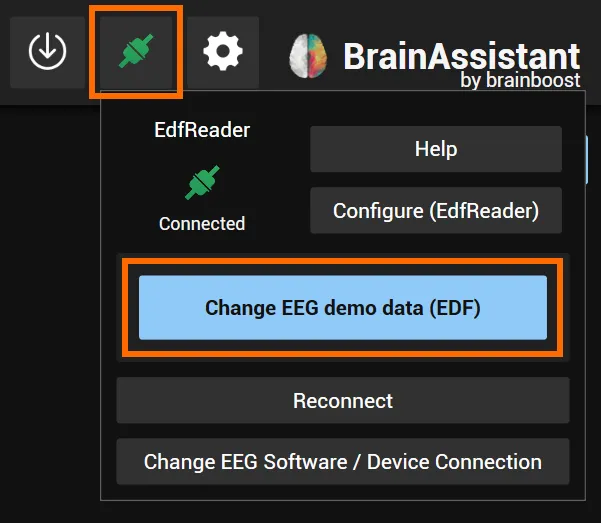
Select an EDF file on your PC; the playback starts.
Your own EDF is now playing in the background. The next time you open BrainAssistant, the default demo data built into BrainAssistant plays again, and you can switch to your own file again.
If you have questions or your own EDF does not play back, email us at support@brainboost.de. We already support many different EDF setups and are always happy to add more.