
This guide shows how to use a Manual Activation Key in BrainAssistant. You get the key from brainboost.
To use a Manual Activation Key you need:
- an active internet connection
- to be logged in to a BrainAssistant account
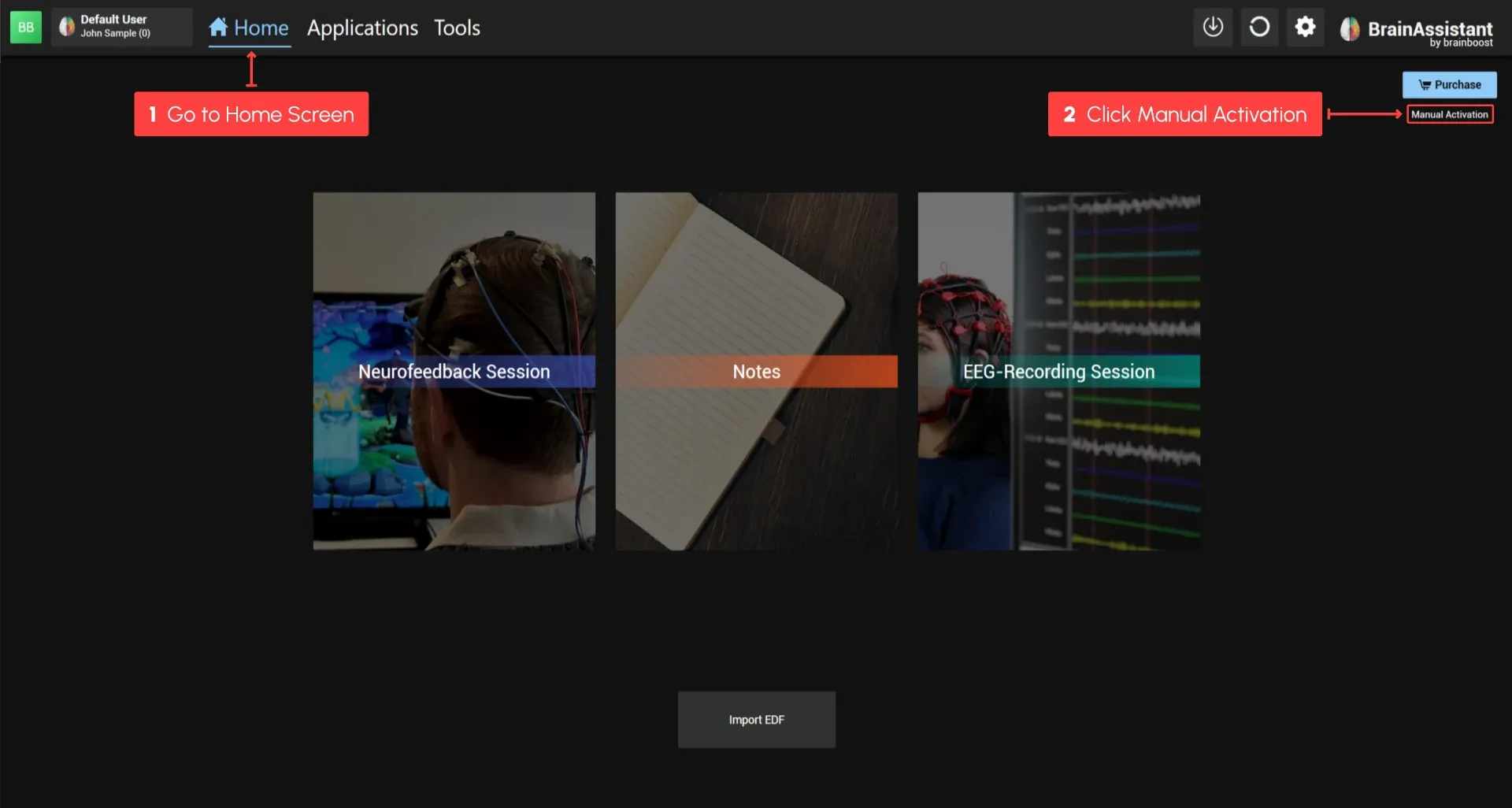
1. Open Manual Activation
Go to your home screen and click Manual Activation.
2. Enter the key
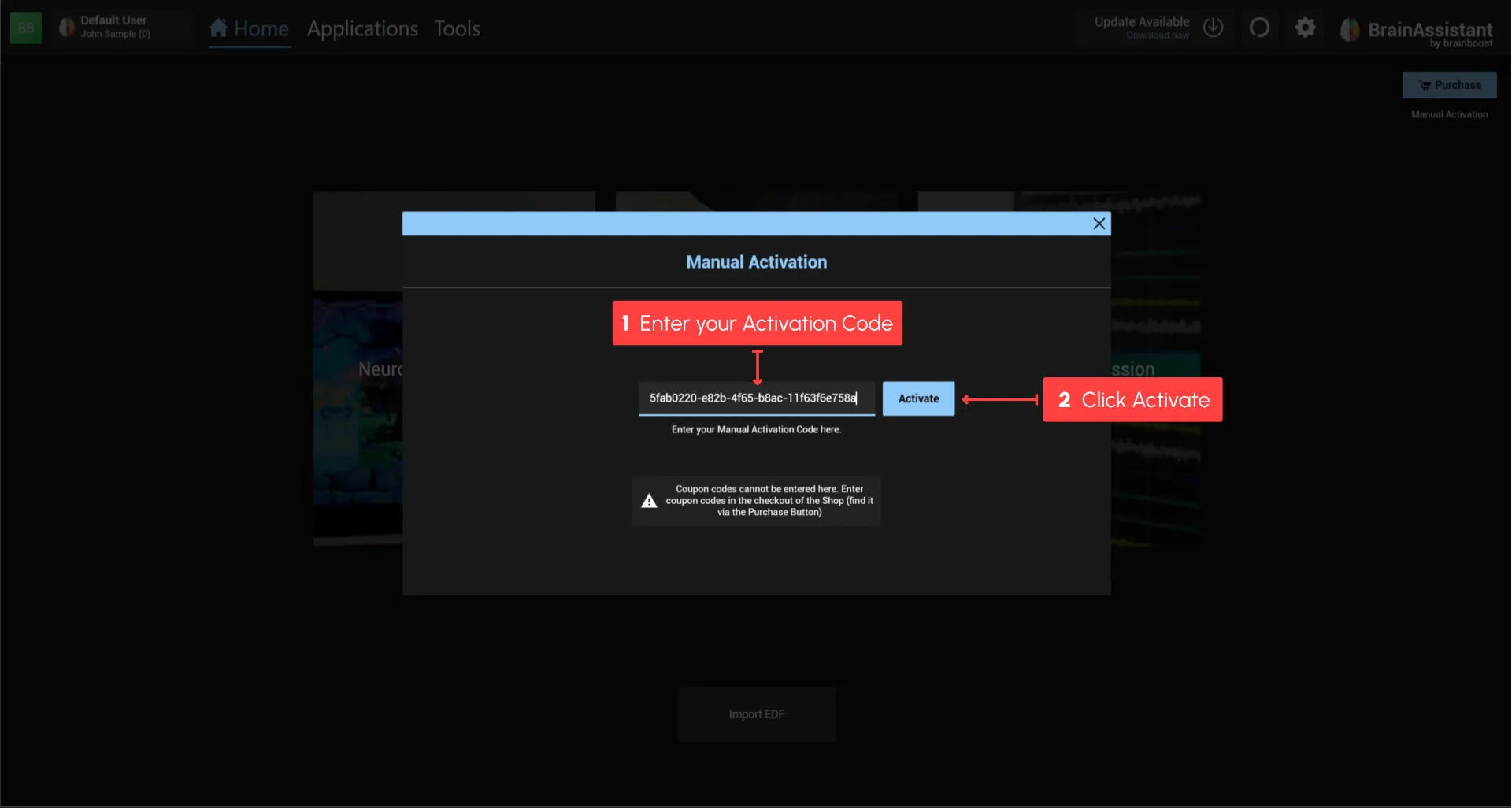
Enter or paste your Manual Activation Key into the input box of the popup window.
The key has the form
xxxxxxxx-xxxx-xxxx-xxxx-xxxxxxxxxxxx: numbers and letters with 4 dashes.
3. Activate
Click Activate.
A confirmation appears once BrainAssistant is activated.
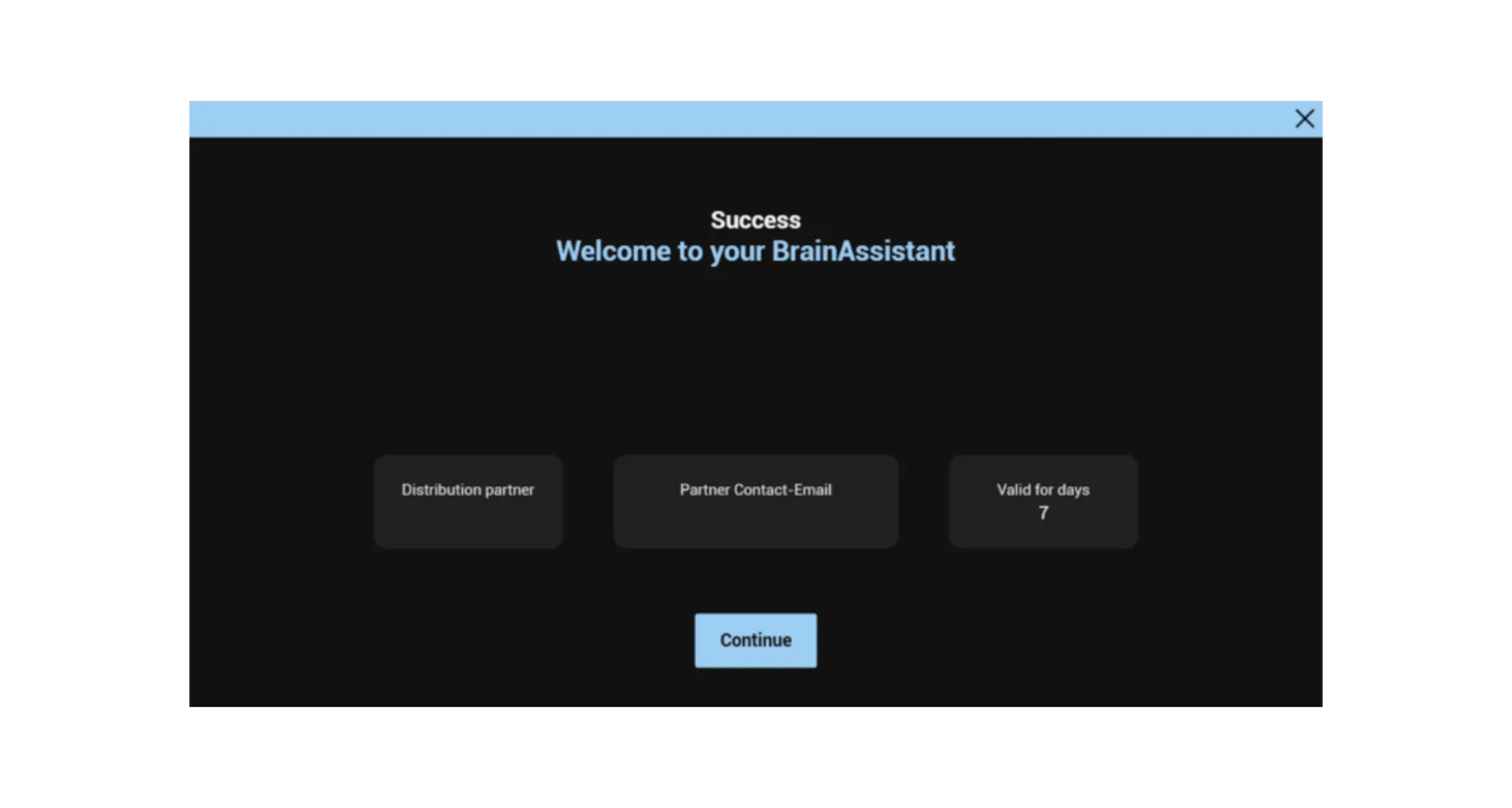
Your BrainAssistant is now activated. If you have questions, contact us at support@brainboost.de.