
-
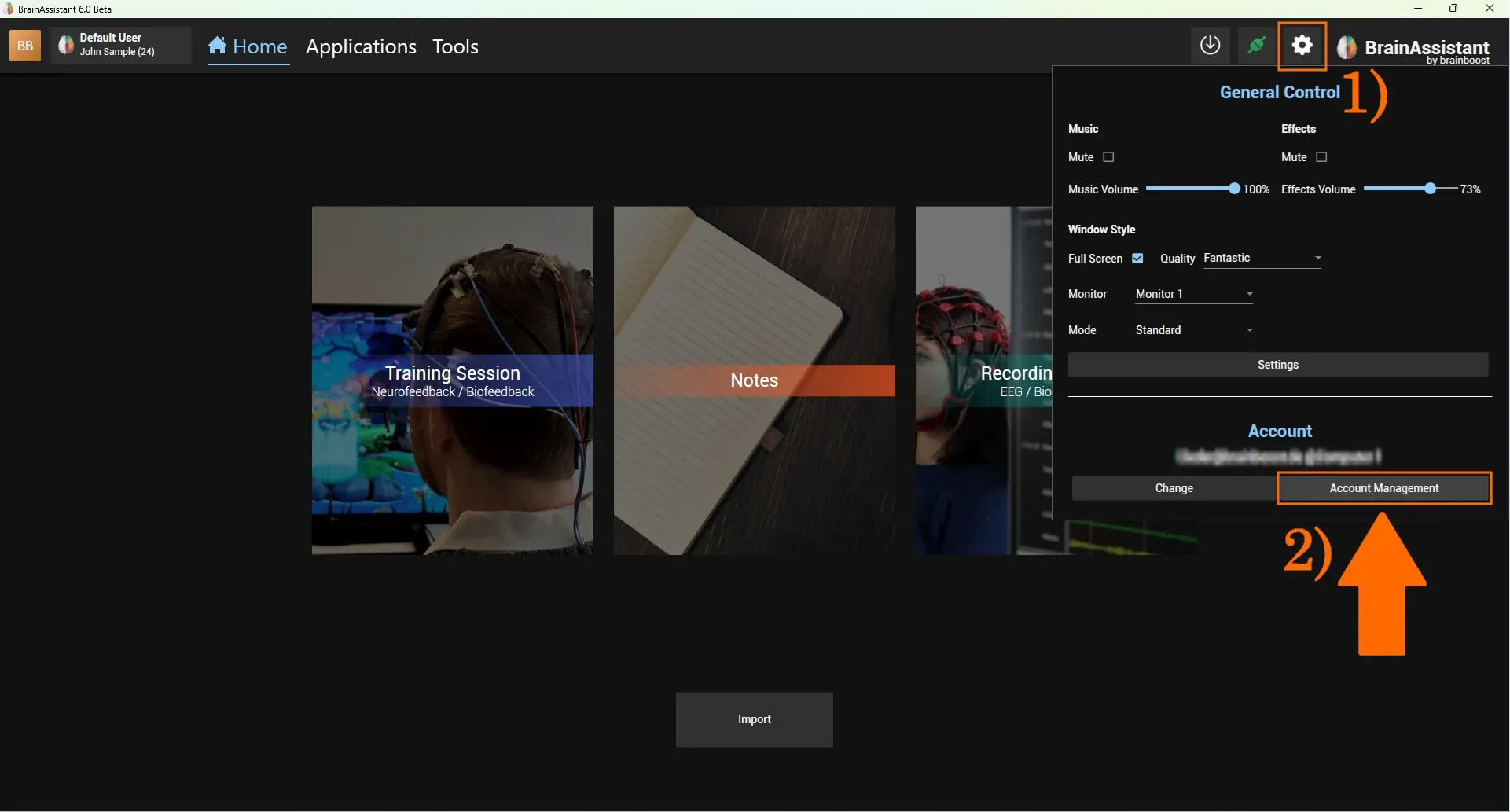
Click the Settings icon in the top right corner of BrainAssistant.
-
In the popup window, select Account Management.
-
Select the Invoices (Subscription) tab.
-
Choose the invoice you want to view and click Download.
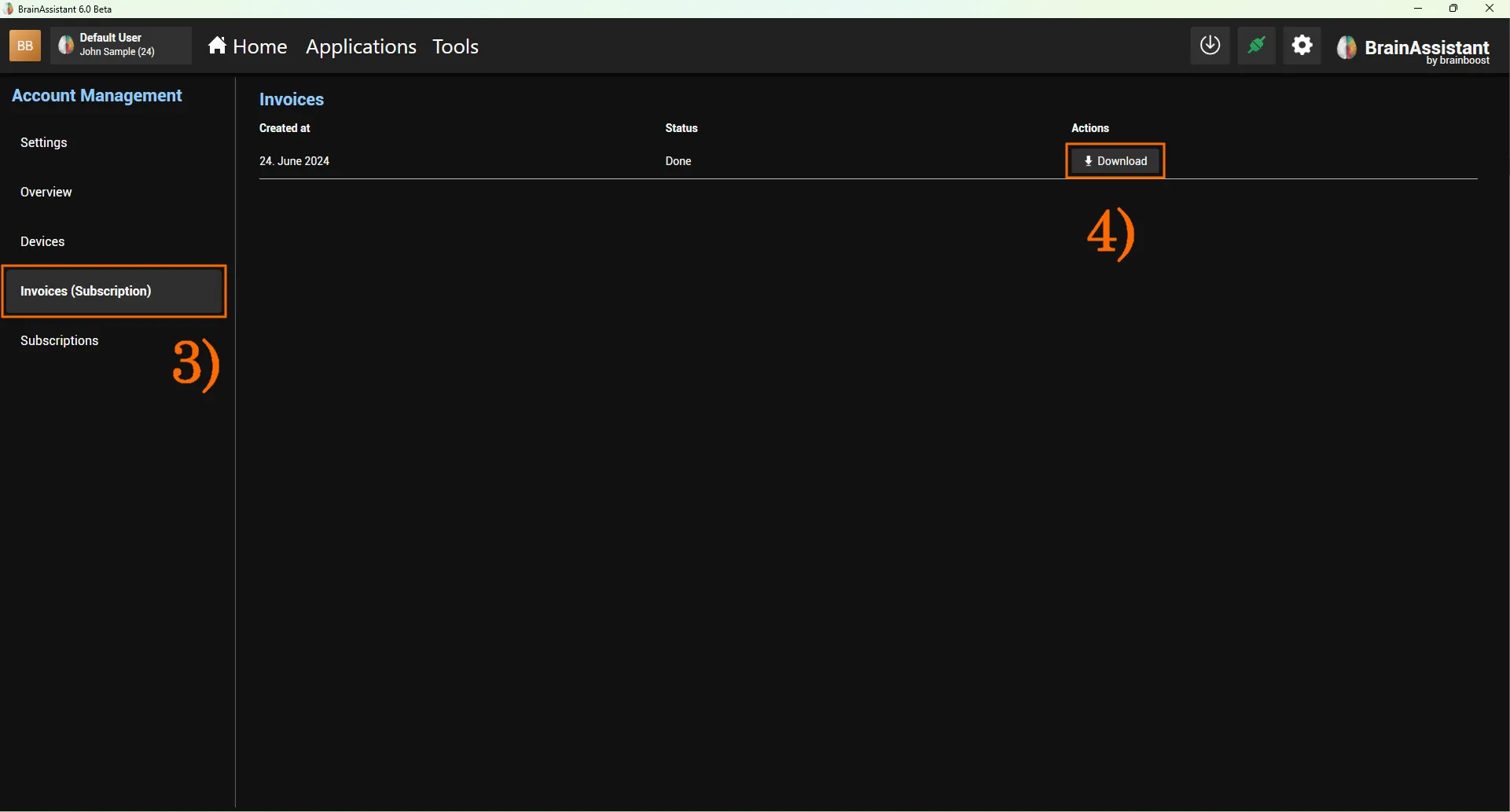
A new browser tab opens and downloads the invoice as a PDF file. If your browser has a default Downloads folder, the invoice is saved there automatically; otherwise you may be asked where to save it.