On this page
Set Windows Bluetooth to Advanced
Switch the Windows Bluetooth device discovery setting to Advanced so your device is found.
To set your Windows Bluetooth settings to Advanced, follow these steps.
1. Open Windows Settings
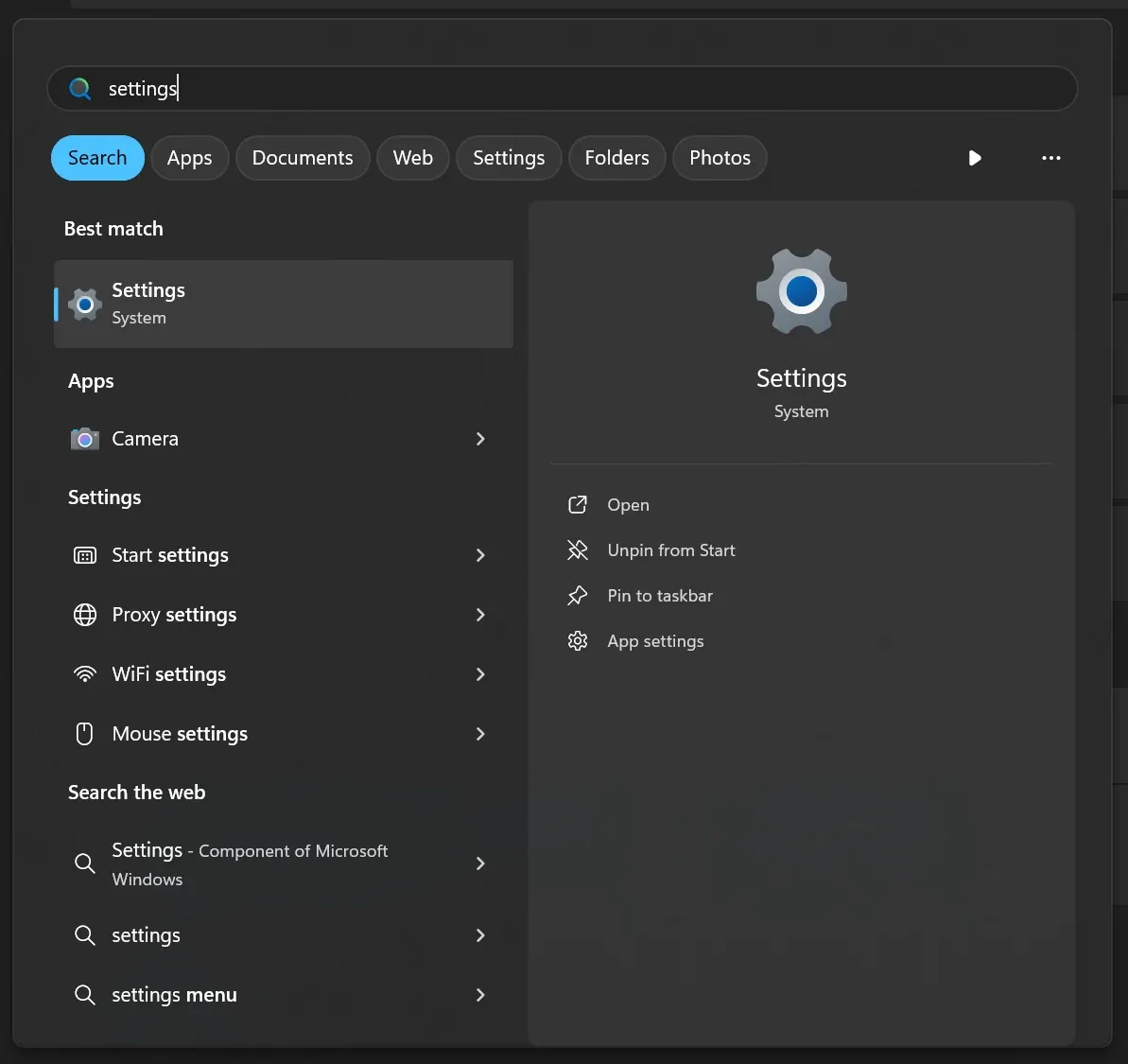 Windows Settings in the Start menu
2. Go to Bluetooth & devices
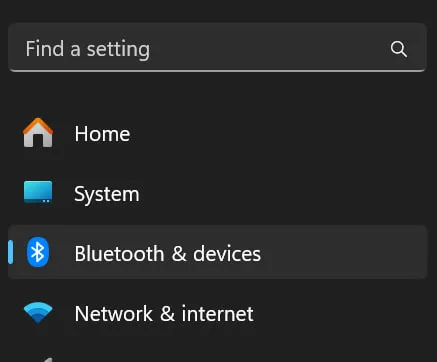 Bluetooth & devices in Windows Settings
3. Click Devices
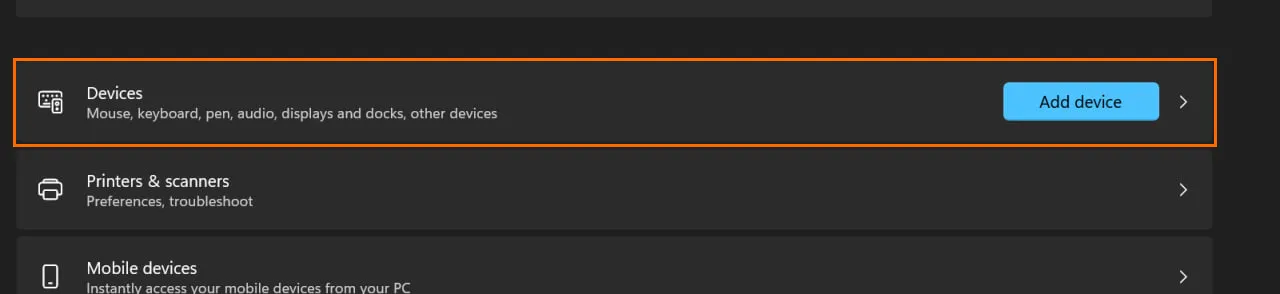 Devices entry under Bluetooth & devices
4. Set the device settings to Advanced
Scroll down to Device settings and make sure Bluetooth devices discovery is set to Advanced.
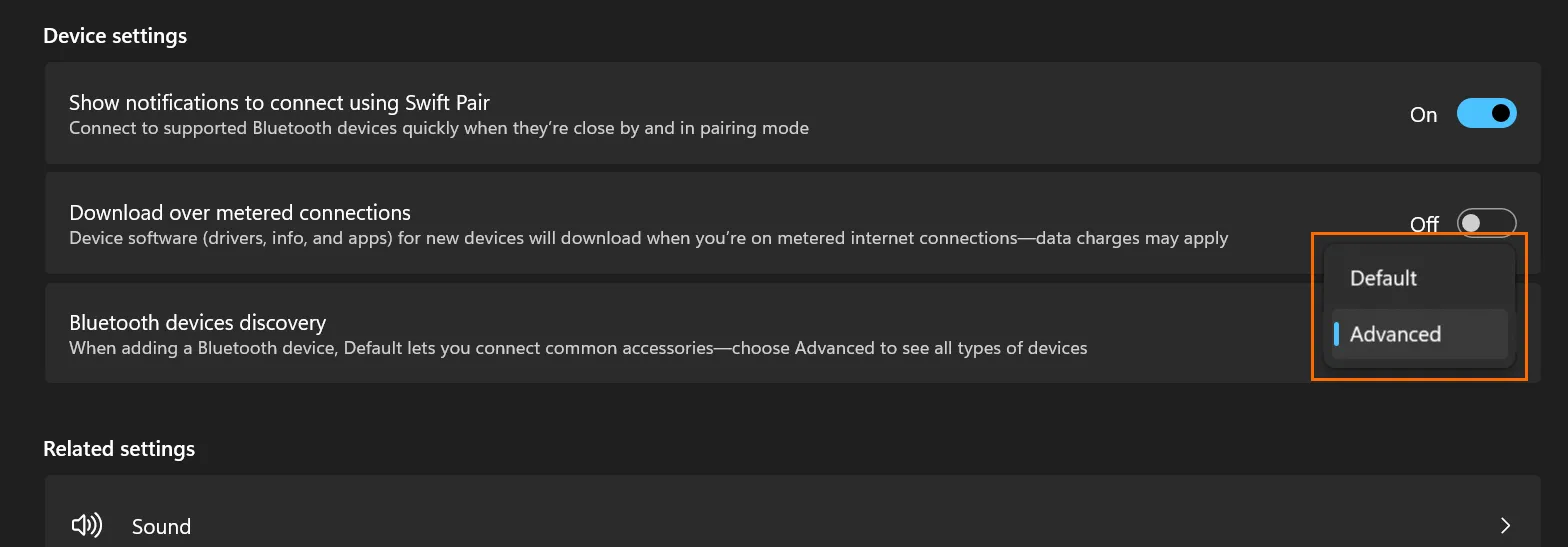 Bluetooth devices discovery set to Advanced
